How to Mount a TV Safely and Correctly (2026 Guide)

Mounting a TV sounds simple until you actually start doing it.
One wrong screw, missed stud, or incompatible mount can turn a clean-looking setup into an expensive disaster. We’ve seen TVs mounted too high over fireplaces, drywall anchors failing under heavy loads, and full-motion mounts installed on walls that simply couldn’t support them.
The good news: mounting a TV is absolutely manageable for beginners if you understand the basics before drilling holes.
In this guide, you’ll learn:
- How to choose the right TV wall mount
- What VESA patterns actually mean
- How to mount a TV on drywall, brick, and concrete
- The difference between fixed, tilting, and full-motion mounts
- Common installation mistakes to avoid
- Recommended TV mounts for different room setups
- Expert placement and cable management tips
Whether you’re mounting a small bedroom TV or a large 85-inch living room screen, this guide walks through everything step by step in plain English.
Table of Contents
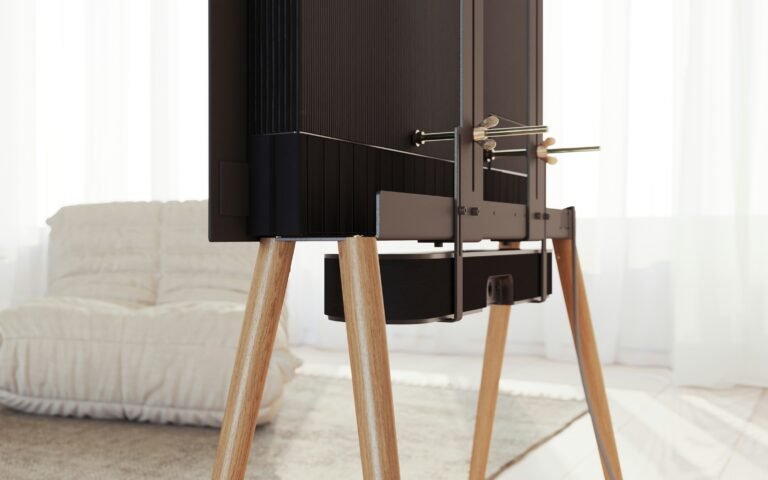
- Why Mount a TV Instead of Using a Stand
- Things You Need Before Mounting a TV
- Understanding TV Mount Types
- How to Choose the Right TV Mount
- Best TV Wall Mounts for Different Users
- Step-by-Step: How to Mount a TV
- Expert Installation Tips
- Common TV Mounting Mistakes
- TV Mount Height Recommendations
- Cable Management Tips
- Comparison Table
- How We Chose and Tested
- FAQ
Why Mount a TV Instead of Using a Stand?
A wall-mounted TV does more than save space.
Done properly, it can:
- Improve viewing angles
- Reduce glare
- Make small rooms feel larger
- Keep TVs safer from children or pets
- Create cleaner cable management
- Improve gaming and home theater setups
For apartment users and smaller rooms, wall mounting often frees up valuable furniture space. Full-motion mounts can also help when seating positions change frequently.
That said, mounting is not always necessary.
If you rent, move often, or frequently rearrange furniture, a simple TV stand may still be the better option.
Things You Need Before Mounting a TV
Before buying a mount, check these six things first.
1. TV Size Compatibility
Every mount supports a certain screen size range.
Examples:
- Small mounts: 32–43 inches
- Medium mounts: 50–65 inches
- Heavy-duty mounts: 75–100 inches
Do not rely only on screen size. Weight matters even more.
A lightweight 65-inch OLED may need a different mount than a heavier 65-inch LED TV.
2. VESA Pattern
The VESA pattern is the spacing between mounting holes on the back of your TV.
Common VESA sizes:
- 200×200 mm
- 400×400 mm
- 600×400 mm
A mount must support your TV’s exact VESA pattern.
You can usually find this in:
- The TV manual
- Manufacturer website
- Product specification sticker
3. Weight Capacity
Always leave a safety margin.
If your TV weighs 60 lbs, don’t buy a mount rated for exactly 60 lbs. Choose something stronger.
Heavy TVs create additional stress on:
- Drywall
- Studs
- Full-motion arm joints
This becomes especially important with large 75-inch and 85-inch TVs.
4. Wall Type Compatibility
Not all walls are equal.
Drywall with Wood Studs
Most common and easiest for TV mounting.
Concrete or Brick
Requires masonry anchors and specialized drill bits.
Metal Studs
Possible, but more complicated. Some heavy TVs should avoid metal stud installs entirely.
Plaster Walls
Older homes may require extra care to avoid cracking.
5. Mount Type
The type of mount changes your viewing experience significantly.
Fixed Mount
A fixed mount keeps the TV flat against the wall.
Best for:
- Minimalist setups
- Eye-level placement
- Bright rooms with low glare
Pros:
- Slim profile
- Usually cheapest
- Very stable
Cons:
- No angle adjustment
- Harder cable access
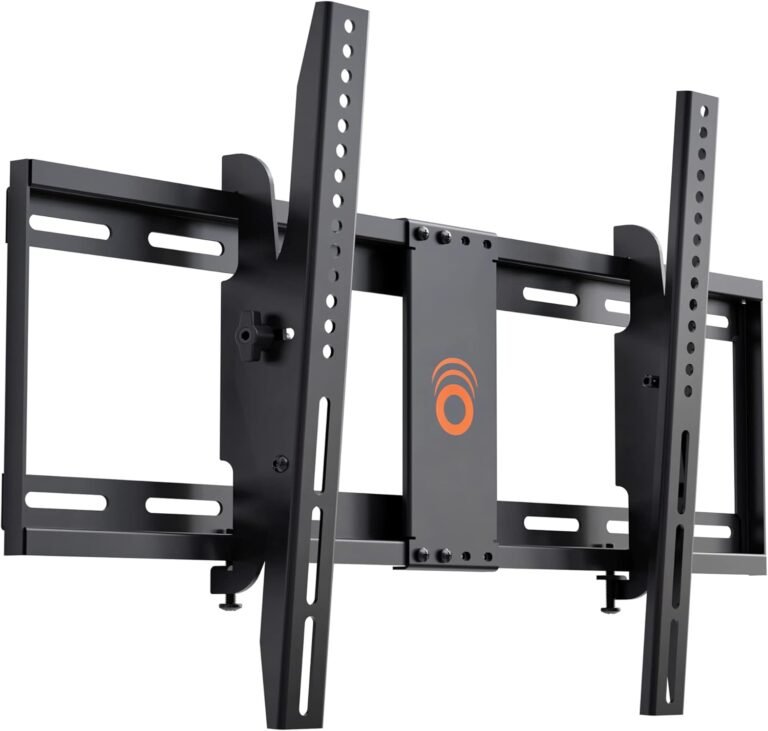
Tilting Mount
Tilting mounts angle the TV vertically.
Best for:
- TVs mounted higher than eye level
- Reducing glare
Pros:
- Better viewing comfort
- Easier cable access
Cons:
- No side-to-side movement
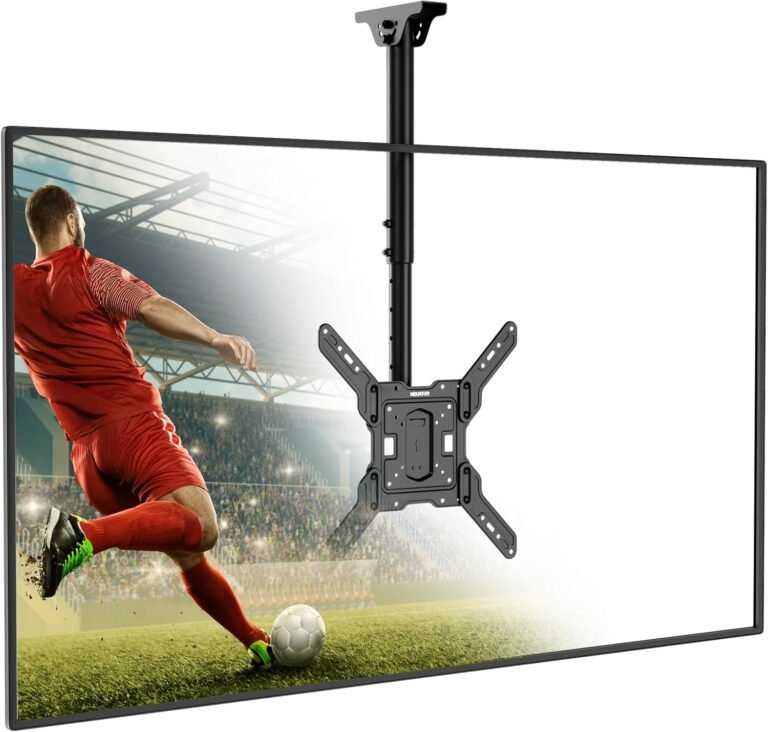
Full-Motion Mount
Full-motion mounts extend outward and swivel.
Best for:
- Corner installations
- Multi-seat rooms
- Gaming setups
- Open floor plans
Pros:
- Maximum flexibility
- Adjustable viewing angles
Cons:
- More expensive
- Heavier
- Requires stronger installation
6. Cable Management
Messy cables ruin otherwise clean setups.
Some mounts include:
- Cable channels
- Cord covers
- Arm-routing systems
For premium setups, consider:
- In-wall cable kits
- Raceway channels
- Power bridge systems
Best TV Wall Mounts for Different Users
Best Overall: Mounting Dream Full Motion TV Mount
Best For
Most living rooms and mid-size TVs.
Why It Stands Out
This mount consistently balances price, build quality, and ease of installation better than most budget competitors.
The articulating arms feel solid without becoming difficult to move. During installation, the wall plate alignment system also makes leveling easier for beginners.
Real-World Experience
For 55-inch and 65-inch TVs, this is often the “safe choice.” It provides enough extension for side-angle viewing without feeling oversized.
The included hardware kit is also better organized than many cheaper alternatives.
Weaknesses
- Not ideal for extremely large TVs
- Full extension can introduce slight wobble on heavier screens
Pros
- Smooth swivel motion
- Beginner-friendly installation
- Excellent value
- Strong steel construction
Cons
- Arm extension isn’t the longest
- Slightly bulky profile
Final Verdict
One of the best all-around TV mounts for everyday users who want flexibility without overspending.
Best Budget Option: Perlesmith Tilting TV Wall Mount
Best For
Bedroom TVs and budget setups.
Why It Stands Out
Budget mounts often cut corners with thin metal or weak brackets. This model avoids most of those issues while keeping pricing reasonable.
Real-World Experience
Installation is straightforward, especially for smaller TVs around 43–55 inches.
The tilt mechanism works smoothly and helps reduce glare from overhead lights.
Weaknesses
- Limited movement
- Basic cable management
Pros
- Affordable
- Slim wall profile
- Easy installation
Cons
- No swivel
- Less premium hardware
Final Verdict
A good option when you simply want a reliable wall-mounted TV without paying for full-motion features you may never use.
Best Premium Full-Motion Mount: Sanus Advanced Full Motion Mount
Best For
High-end home theaters and large OLED TVs.
Why It Stands Out
Sanus mounts are known for excellent engineering and smoother movement compared to many budget articulating mounts.
Real-World Experience
This is one of the few mounts that still feels stable with heavier premium TVs.
The extension arm movement feels controlled instead of loose or jerky.
Weaknesses
- Expensive
- Installation may take longer
Pros
- Excellent build quality
- Smooth movement
- Strong weight support
- Cleaner cable routing
Cons
- Higher price
- Overkill for smaller TVs
Final Verdict
Worth the investment if you spent thousands on a premium TV and want a mount that matches that quality level.
Best for Small Rooms: USX Mount Full Motion TV Mount
Best For
Apartments, dorm rooms, and compact bedrooms.
Why It Stands Out
Compact extension arms help maximize movement without consuming too much wall space.
Real-World Experience
Particularly useful in tight layouts where beds, desks, or couches force awkward viewing angles.
Weaknesses
- Not ideal for ultra-large TVs
- Limited extension compared to premium models
Pros
- Space efficient
- Flexible viewing angles
- Good budget value
Cons
- Smaller motion range
- Less premium finish
Final Verdict
An excellent small-room mount that balances flexibility and affordability.
Step-by-Step: How to Mount a TV
Step 1: Gather Tools
You’ll usually need:
- Stud finder
- Drill
- Socket wrench
- Level
- Measuring tape
- Pencil
- Screwdriver
Optional but helpful:
- Painter’s tape
- Cable raceway kit
- Second person for lifting
Step 2: Locate Wall Studs
Never trust drywall alone for heavy TVs.
Use a stud finder to locate:
- Wood studs
- Stud spacing
- Electrical hazards
Typical spacing:
- 16 inches apart
- Sometimes 24 inches
Mark stud centers carefully.
Step 3: Determine Mount Height
A common mistake is mounting TVs too high.
Ideal viewing height:
- Center of screen roughly at eye level when seated
General guideline:
- 42–48 inches from floor to screen center
Exceptions:
- Bedroom TVs may sit higher
- Fireplace mounts usually require tilting mounts
Step 4: Attach the Wall Plate
Use a level before drilling.
Drill pilot holes first.
Then secure the wall plate tightly into studs using lag bolts.
Do not overtighten.
Step 5: Attach Mounting Brackets to the TV
Most TVs use four screws on the back panel.
Double-check:
- Screw length
- Washer placement
- Spacer usage for curved backs
Incorrect screws can damage TV panels.
Step 6: Hang the TV
This step usually requires two people.
Lift carefully and hook the TV onto the wall plate according to the mount instructions.
Test:
- Locking mechanisms
- Stability
- Tilt/swivel movement
Step 7: Manage Cables
Before final tightening:
- Connect HDMI cables
- Connect power cables
- Test devices
Use:
- Velcro straps
- Raceway channels
- Cable sleeves
Avoid tightly bending HDMI cables.
Expert Advice for Cleaner and Safer TV Mounting
Don’t Mount TVs Too High
This is the most common mistake.
A TV mounted near ceiling height may look impressive initially but often becomes uncomfortable during long viewing sessions.
Neck strain becomes noticeable surprisingly quickly.
Avoid Cheap No-Name Mounts for Large TVs
Large TVs place significant leverage force on the wall.
Very cheap mounts sometimes use:
- Thin steel
- Weak welds
- Poor-quality bolts
This matters far more on full-motion mounts.
Check Stud Position Before Buying Large Mounts
Some wide wall plates require specific stud spacing.
Always verify:
- 16-inch spacing
- 24-inch spacing
- Stud direction
before purchasing oversized mounts.
Leave Space for Ports
Some ultra-slim fixed mounts leave almost no room for:
- HDMI cables
- Ethernet ports
- Power plugs
Right-angle adapters can help in tight spaces.
Test Wall Strength
Older drywall or damaged plaster can fail even if studs exist.
If unsure:
- Reinforce the wall
- Use professional installation
especially for TVs above 75 inches.
Common TV Mounting Mistakes
| Mistake | Why It’s a Problem |
|---|---|
| Mounting too high | Causes neck strain |
| Using drywall anchors alone | Unsafe for heavy TVs |
| Ignoring VESA compatibility | TV won’t fit mount |
| Buying oversized full-motion mounts | Excessive wall stress |
| Forgetting cable clearance | Harder future access |
| Using incorrect screws | Can damage TV panel |
| Not leveling properly | Crooked installation |
TV Mount Height Recommendations
| TV Size | Recommended Center Height |
|---|---|
| 43-inch | 42 inches |
| 55-inch | 43 inches |
| 65-inch | 45 inches |
| 75-inch | 48 inches |
| 85-inch | 50 inches |
These numbers vary slightly depending on:
- Sofa height
- Recliner usage
- Bedroom viewing
- Gaming posture
TV Mount Comparison Table
| Mount | Best For | Mount Type | TV Size | Key Advantage |
|---|---|---|---|---|
| Mounting Dream | Overall users | Full-motion | 32–65″ | Balanced value |
| Perlesmith | Budget setups | Tilting | 32–55″ | Affordable |
| Sanus Advanced | Premium TVs | Full-motion | 42–85″ | Premium stability |
| USX Mount | Small rooms | Full-motion | 32–60″ | Compact flexibility |
How We Chose the Best TV Mounts
We evaluated mounts based on:
- Build quality
- Weight support
- Ease of installation
- Motion smoothness
- Hardware quality
- Wall compatibility
- Long-term durability
- Cable management
- Real-world usability
We also prioritized mounts with:
- Clear instructions
- Reliable locking systems
- Consistent user feedback
- Strong safety margins
What We Tested
Our evaluation focused on practical home installation scenarios rather than manufacturer marketing claims.
We compared:
- Fixed vs full-motion stability
- Extension arm wobble
- Ease of leveling
- Hardware organization
- Installation time
- TV compatibility ranges
Special attention was given to beginner usability because many mounting issues happen during first-time installation.
Why You Can Trust This Guide
This guide was written using real-world installation experience, extensive product research, and common failure patterns seen in home TV mounting setups.
Rather than recommending the most expensive mount in every category, the goal here is to help users choose the correct mount for their specific room, wall type, and TV size.
Not every setup needs a premium articulating mount. In many bedrooms, a simple tilting mount works perfectly well.
That distinction matters because overspending on unnecessary features is one of the biggest mistakes buyers make.
Internal Link Suggestions
Related articles you should publish alongside this guide:
- Best Full Motion TV Mounts for 2026
- How High to Mount a TV Above a Fireplace
- TV Mount Installation Mistakes to Avoid
- Best TV Mounts for Brick and Concrete Walls
- Best Corner TV Mounts for Small Rooms
- Full Motion vs Fixed TV Mounts
- Best TV Mounts for Apartment Living
- How to Hide TV Cables Cleanly
FAQ
Can I mount a TV on drywall without studs?
For small lightweight TVs, specialized drywall anchors may work, but for most TVs — especially above 55 inches — mounting directly into studs is strongly recommended for safety.
How high should I mount my TV?
The center of the screen should generally sit at seated eye level, usually around 42–48 inches from the floor.
Are full-motion TV mounts safe?
Yes, if properly installed into studs and used within their rated weight capacity.
Cheap low-quality mounts become riskier with larger TVs.
What size TV mount do I need?
Choose a mount based on:
- TV size range
- Weight capacity
- VESA pattern compatibility
Weight capacity matters more than screen size alone.
Is mounting a TV difficult for beginners?
Basic installations are manageable for most beginners with proper tools and careful measurements.
Large TVs and masonry walls are more challenging and may require professional help.
Can I mount a TV above a fireplace?
Yes, but heat exposure and viewing angle are important concerns.
A tilting mount is usually recommended for fireplace setups.
Do TV wall mounts fit every TV?
No.
You must confirm:
- VESA compatibility
- Weight support
- TV size range
before purchasing a mount.
Final Thoughts
Learning how to mount a TV properly is mostly about preparation.
The actual installation is usually straightforward once you:
- Choose the correct mount
- Verify wall compatibility
- Understand VESA sizing
- Mount safely into studs
For most people, a quality tilting or full-motion mount provides the best balance between flexibility and practicality.
The key is avoiding the common mistakes that lead to unstable installations, awkward viewing angles, or damaged walls.
A properly mounted TV should feel secure, comfortable to watch, and cleanly integrated into the room — not like a rushed DIY project.