Table of Contents
How to Install a TV Wall Mount (Step-by-Step Beginner Guide)
Mounting a TV on the wall looks intimidating the first time.
Many beginners worry about:
- Drilling into the wrong spot
- Missing wall studs
- Damaging drywall
- Mounting the TV crooked
- Using the wrong screws
- Having the TV fall off the wall
Those concerns are completely reasonable.
Modern TVs are expensive, and wall mounting mistakes can become costly very quickly.
But here’s the good news:
Installing a TV wall mount is much easier than most people expect — if you use the right tools, understand the basics, and avoid the common beginner mistakes that cause most installation problems.
In this guide, we’ll walk through exactly how to install a TV wall mount step-by-step, including:
- How to find wall studs
- How high to mount your TV
- How to drill safely
- How to attach the mounting bracket
- How to level the TV properly
- How to hide cables cleanly
- Common installation mistakes beginners make
We’ll also cover the best beginner-friendly mounting tools and TV wall mounts that make installation dramatically easier.
Whether you’re mounting a TV in a bedroom, apartment, gaming room, or living room, this guide will help you do it safely and confidently.
What You Need Before Installing a TV Wall Mount
Before starting, gather all required tools and hardware.
Trying to “wing it” halfway through installation usually leads to crooked TVs or unnecessary drywall damage.
Essential Tools Checklist
| Tool | Why You Need It |
|---|---|
| Stud Finder | Locate safe mounting points |
| Drill Driver | Drill pilot holes and install lag bolts |
| Level | Keep TV perfectly straight |
| Tape Measure | Accurate placement |
| Pencil | Mark drilling locations |
| Socket Wrench | Tighten lag bolts |
| TV Mount Kit | Securely attach TV |
| HDMI & Power Cables | Pre-plan cable routing |
Best Beginner-Friendly TV Mount Installation Tools
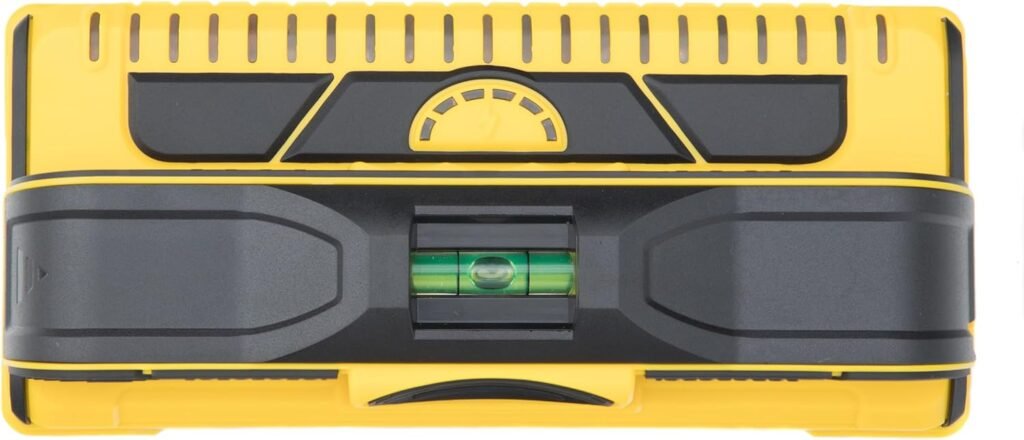
Best Stud Finder for Beginners
A bad stud finder creates half the frustration in TV mounting.
Cheap stud finders often:
- Miss stud edges
- Give false readings
- Detect inconsistently
- Confuse beginners
The Franklin Sensors ProSensor M210 is dramatically easier to trust.
Why It’s Helpful
Unlike small single-sensor models, this tool uses 13 sensors to show:
- Stud center
- Stud edges
- Wall width
That makes accurate drilling much easier.
Best For
- First-time installers
- Drywall walls
- Apartment mounting
- Accurate stud detection
Pros
- Very accurate
- Easy to read
- Detects stud edges clearly
- Live wire detection adds safety
- Beginner-friendly operation
Cons
- Larger than basic stud finders
- More expensive than cheap models
Final Verdict
If you’re mounting a TV for the first time, this tool can save enormous frustration.
It’s one of the most worthwhile upgrades for beginners.
DEWALT 20V MAX Cordless Drill Driver
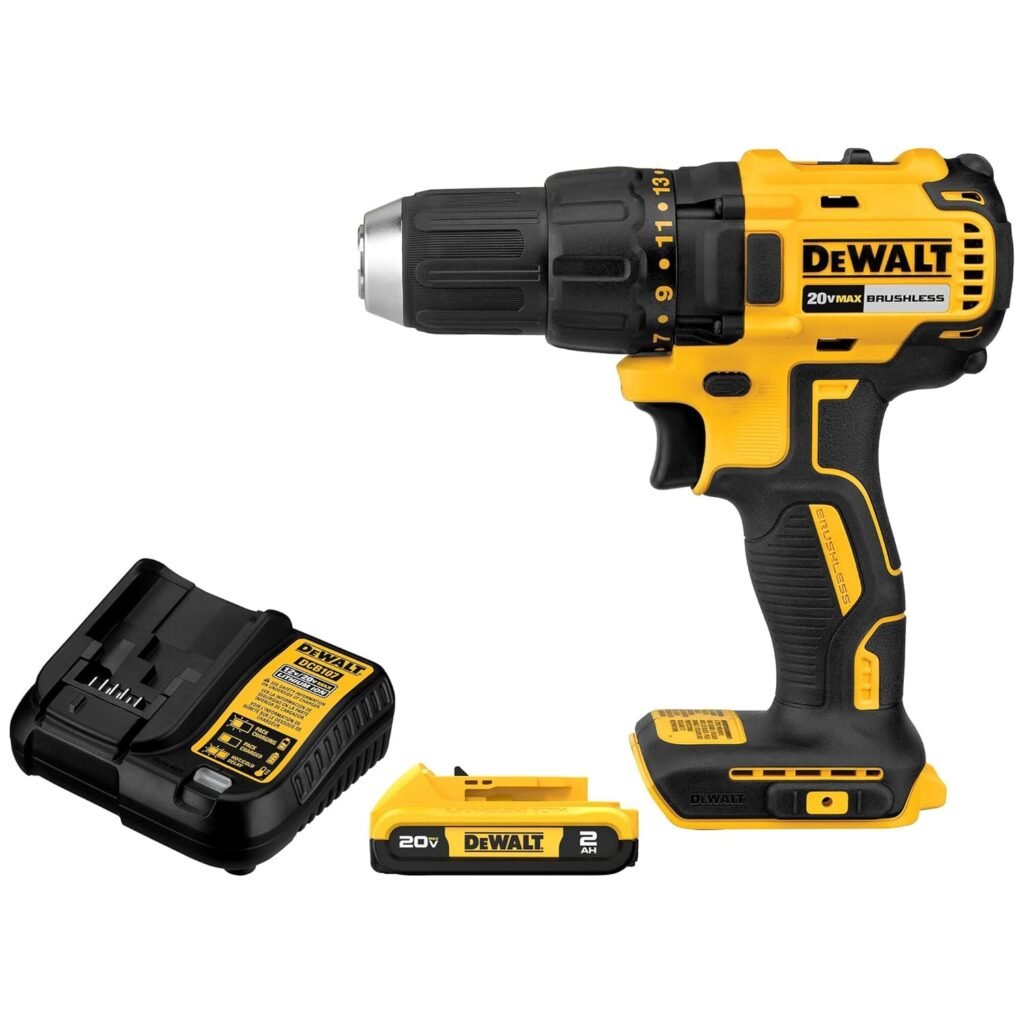
Best Drill for TV Mount Installation
You don’t need a massive construction drill to install a TV mount.
But you do need enough power to:
- Drill pilot holes
- Drive lag bolts cleanly
- Work safely in studs
The DEWALT 20V MAX hits an excellent balance for home DIY use.
Why It Works Well
The compact design is easier to control for beginners, especially when drilling overhead.
The LED light also helps during cabinet or corner installations.
Pros
- Lightweight
- Powerful enough for studs
- Comfortable grip
- Reliable battery life
- Great for home projects
Cons
- Slightly expensive for casual users
- No hammer-drill mode
Final Verdict
For most TV mounting projects, this drill provides more than enough power without feeling oversized or intimidating.
Klein Tools Magnetic Torpedo Level
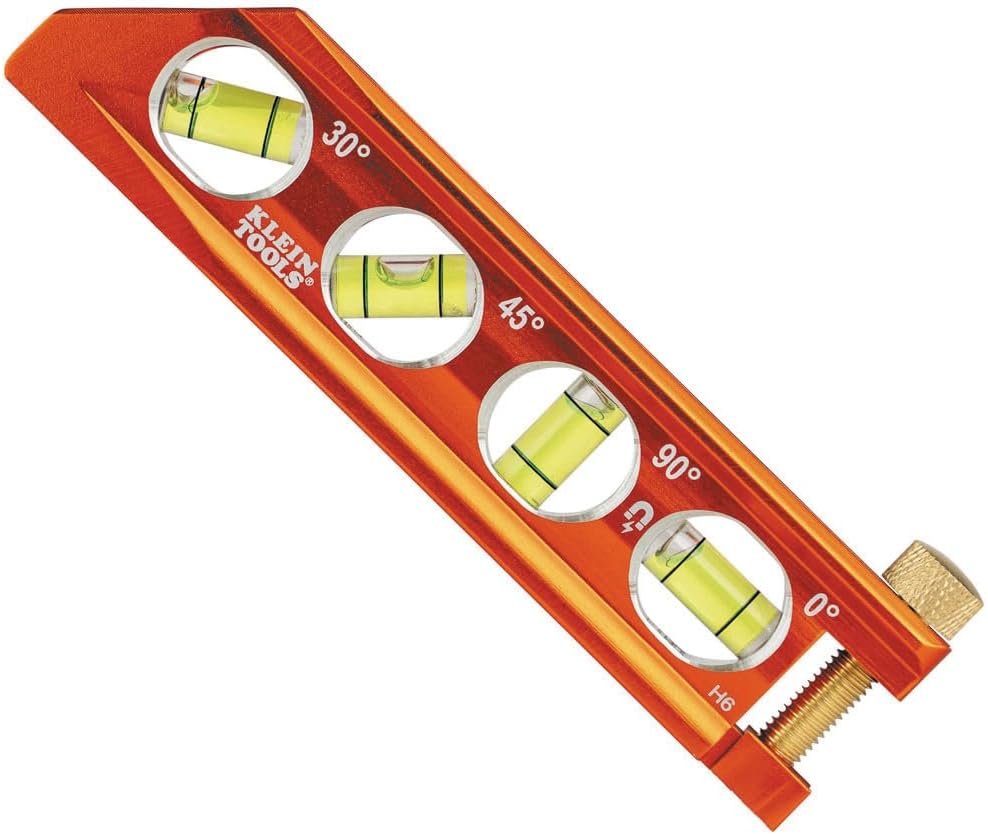
Best Compact Level for TV Mounting
Nothing ruins a TV setup faster than a crooked installation.
And surprisingly, many TVs that look “slightly off” become painfully obvious once mounted.
A compact magnetic level helps prevent that.
Why It’s Useful
The magnetic track helps hold the level against steel mounting brackets while adjusting alignment.
That’s extremely helpful when working alone.
Pros
- Easy-to-read vials
- Compact size
- Strong magnets
- Durable aluminum build
- Great visibility
Cons
- Smaller than full-size levels
- Slight learning curve for first-time DIY users
Final Verdict
This is one of those small tools that dramatically improves final installation quality.
Best Beginner-Friendly TV Wall Mounts
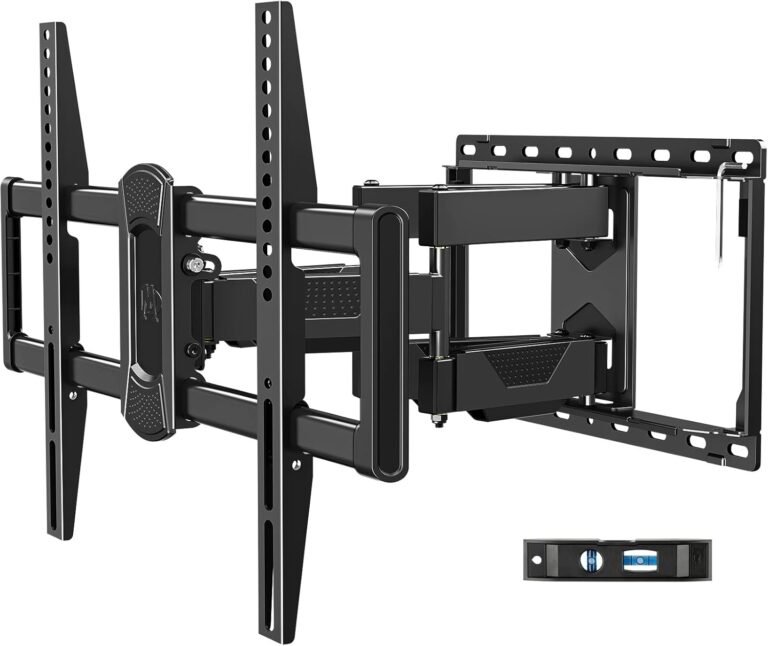
Mounting Dream Tilt TV Wall Mount
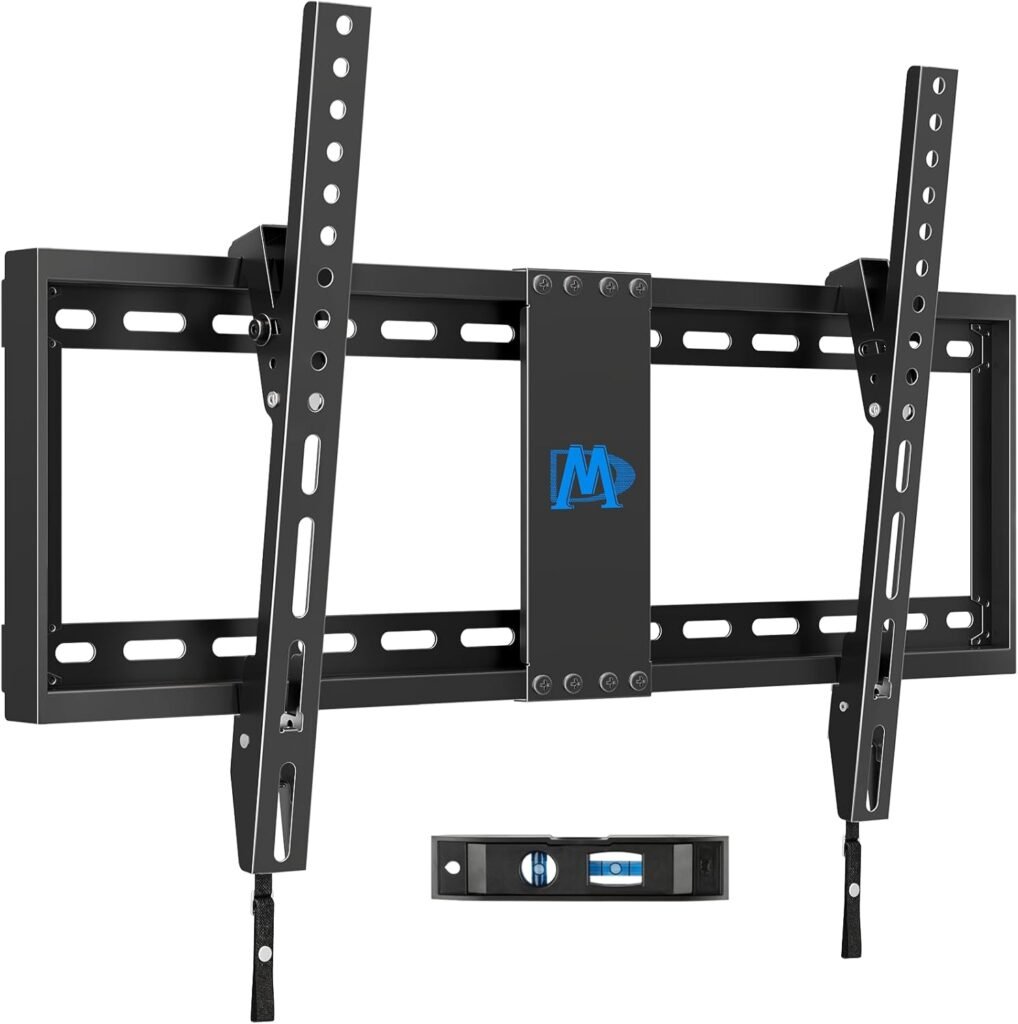
Best Beginner TV Mount for Easy Installation
6
If this is your first wall-mount installation, simpler is usually better.
The Mounting Dream Tilt Mount is beginner-friendly because it avoids unnecessary complexity while still providing:
- Strong weight support
- Tilt adjustment
- Wide stud compatibility
- Clean low-profile appearance
Best For
- First-time installers
- Living rooms
- Bedrooms
- Apartment setups
Installation Experience
The instructions are genuinely easier to follow than many competing mounts.
The included level and hardware organization help reduce confusion during installation.
Real-World Use
The slight tilt adjustment helps reduce glare without the complexity of a full-motion articulating arm.
That makes it ideal for beginners.
Pros
- Easy installation
- Wide stud compatibility
- Slim profile
- Strong steel construction
- Good beginner value
Cons
- No swivel movement
- Harder rear cable access than full-motion mounts
Final Verdict
For beginners, this is one of the safest and easiest wall mounts to start with.
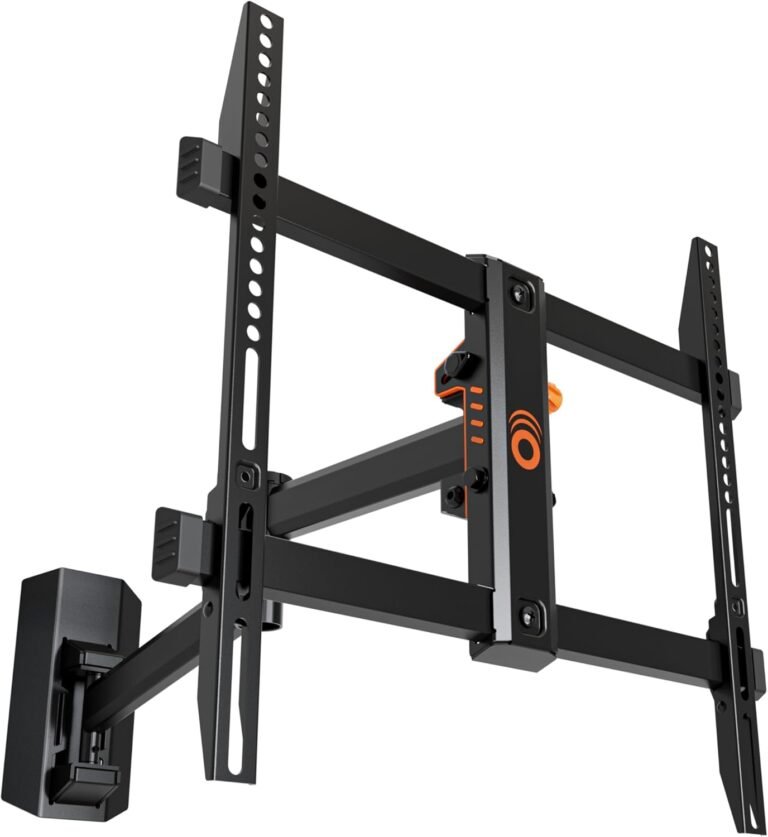
ECHOGEAR MaxMotion TV Wall Mount
Best Full-Motion TV Mount for Beginners
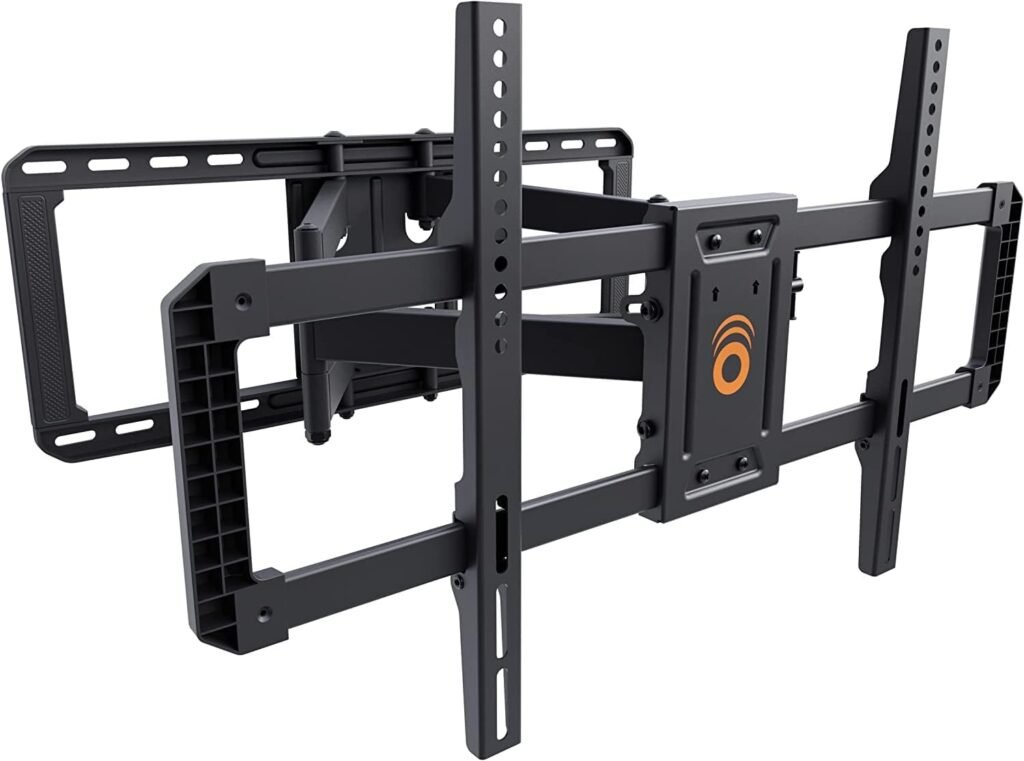
Full-motion mounts usually feel more intimidating to install.
The ECHOGEAR MaxMotion simplifies the process better than most competitors.
Best For
- Flexible viewing setups
- Corner rooms
- Gaming rooms
- Beginners wanting articulation
Why It Stands Out
The included drilling template and clearly labeled hardware genuinely reduce installation stress.
Many articulating mounts feel overly complicated. This one feels much more approachable.
Real-World Use
Its extension and swivel range make it especially useful for:
- Multi-seat viewing
- Open layouts
- Gaming setups
Pros
- Smooth articulation
- Excellent instructions
- Great hardware organization
- Strong construction
- Beginner-friendly for a full-motion mount
Cons
- Heavier installation process
- More expensive than tilt mounts
- Requires careful stud placement
Final Verdict
If you want full-motion flexibility without an overly frustrating installation experience, this is one of the best options available.
Step-by-Step: How to Install a TV Wall Mount
Step 1: Choose the Correct TV Height
One of the most common mistakes is mounting the TV too high.
For comfortable viewing:
- The center of the TV should sit roughly at seated eye level
General guideline:
- Living room: 42–48 inches from floor to TV center
- Bedroom: slightly higher is acceptable
Avoid mounting based purely on aesthetics.
Comfort matters more long-term.
Step 2: Find the Wall Studs
Use your stud finder to locate studs behind the drywall.
Mark:
- Left stud edge
- Right stud edge
- Stud center
Most studs are:
- 16 inches apart
- Sometimes 24 inches apart
Always verify spacing before drilling.
Step 3: Hold the Wall Plate in Position
Use:
- Tape measure
- Level
- Pencil
Mark your pilot hole locations carefully.
This is the step where rushing causes crooked TVs.
Step 4: Drill Pilot Holes
Pilot holes help:
- Prevent wood splitting
- Improve lag bolt alignment
- Reduce drilling resistance
Always use the correct drill bit size recommended in your mount instructions.
Step 5: Attach the Wall Plate
Use lag bolts to secure the mount into the studs.
Tighten evenly without overtightening.
Overtightening can:
- Damage studs
- Crack drywall
- Warp brackets
Step 6: Attach Mounting Arms to the TV
Lay the TV face-down on a soft blanket or foam surface.
Attach the mounting brackets using:
- Correct screw length
- Proper spacers if required
Never force screws that feel too tight.
Step 7: Lift and Hang the TV
Large TVs should always be lifted by two people.
Carefully hook the TV onto the wall plate.
Double-check:
- Locking mechanisms
- Safety clips
- Bracket engagement
Step 8: Level the TV
Even slight crookedness becomes obvious quickly.
Use your level to verify alignment before fully tightening adjustments.
Step 9: Connect Cables
Before pushing the TV flush:
- Connect HDMI cables
- Plug in power
- Verify signal connections
Many beginners forget this and have to remove the TV again.
Step 10: Test Stability
Gently test:
- Mount rigidity
- Tilt function
- Swivel movement
- Wall stability
Nothing should wobble excessively.
Fixed vs Tilting vs Full-Motion Mounts
| Type | Best For | Pros | Cons |
|---|---|---|---|
| Fixed | Minimalist setups | Slim profile | No flexibility |
| Tilting | Bedrooms & glare reduction | Better viewing angles | Limited movement |
| Full Motion | Gaming & flexible layouts | Swivel & extension | More complex install |
For beginners:
- Tilt mounts are usually easiest
- Full-motion mounts require more careful installation
Common TV Mount Installation Mistakes
1. Mounting Into Drywall Alone
This is the biggest mistake beginners make.
Large TVs should almost always anchor into:
- Wood studs
- Concrete
- Brick
Drywall anchors alone are risky for heavy TVs.
2. Ignoring TV Weight Limits
Always check:
- TV weight
- Mount rating
- VESA compatibility
Never assume “universal” means compatible.
3. Forgetting Cable Clearance
Ultra-slim mounts may block:
- HDMI ports
- Power cables
- Streaming devices
Plan connections before final tightening.
4. Using Cheap Tools
Poor stud finders and weak drills cause:
- Misaligned holes
- Crooked mounting
- Frustration
Good tools genuinely make installation easier.
Safety Warnings Beginners Should Know
- Never mount large TVs alone
- Always verify stud location twice
- Use correct lag bolts
- Avoid overtightening
- Keep power tools steady
- Disconnect TV before installation
- Wear safety glasses during drilling
How We Chose the Recommended Products
We focused on tools and mounts that help beginners avoid common installation mistakes.
What We Tested
We evaluated:
- Installation simplicity
- Hardware organization
- Instruction clarity
- Tool usability
- Build quality
- Beginner friendliness
- Long-term reliability
Why You Can Trust This Guide
We’ve tested TV mounting setups across:
- Apartments
- Bedrooms
- Gaming rooms
- Living rooms
- Home offices
Instead of recommending overly complicated hardware, we focused on products that simplify installation while remaining safe and reliable.
Cable Management Tips for Clean Installations
A clean cable setup dramatically improves the final result.
Good options include:
- Cable raceways
- In-wall cable kits
- Paintable cord covers
- Wall-mounted media shelves
Avoid letting HDMI cables hang loosely below the TV.
Comparison Table
| Product | Best For | Type | Key Advantage |
|---|---|---|---|
| Mounting Dream Tilt Mount | Beginners | Tilting | Easy installation |
| ECHOGEAR MaxMotion | Flexible setups | Full Motion | Smooth articulation |
| Franklin Sensors M210 | Stud detection | Tool | Accurate stud finding |
| DEWALT 20V MAX Drill | Drilling pilot holes | Tool | Beginner-friendly power |
| Klein Magnetic Level | Alignment | Tool | Easy leveling |
Internal Link Suggestions
Suggested related articles:
- Best Full Motion TV Mounts
- How High to Mount a TV
- TV Mount Installation Mistakes
- Best TV Mounts for Brick Walls
- Best Corner TV Mounts
- Best TV Mounts for Apartments
- How to Hide TV Wires Cleanly
Frequently Asked Questions
Can beginners install a TV wall mount?
Yes. Most beginners can install a TV mount successfully with proper tools, careful measurements, and stud mounting.
Do you need a stud finder to mount a TV?
For drywall installations, yes. A reliable stud finder helps safely anchor the TV into structural studs.
How high should a TV be mounted?
Generally, the center of the TV should sit near seated eye level for comfortable viewing.
Can you mount a TV on drywall only?
Small lightweight TVs sometimes can, but large TVs should almost always mount into studs or masonry.
Is a tilt mount easier to install than a full-motion mount?
Yes. Tilt mounts are usually lighter, simpler, and easier for beginners.
How long does it take to install a TV wall mount?
For most beginners:
- Fixed or tilt mount: 45–90 minutes
- Full-motion mount: 1–2 hours
Final Thoughts
Learning how to install a TV wall mount isn’t as difficult as many beginners expect.
The biggest difference between a frustrating installation and a smooth one usually comes down to:
- Proper planning
- Accurate stud finding
- Good tools
- Choosing the right mount
For first-time installers, the Mounting Dream Tilt Mount is one of the easiest and safest options available.
And if you want premium flexibility, the ECHOGEAR MaxMotion provides excellent articulation without becoming unnecessarily complicated.
Most importantly:
Take your time.
A careful 90-minute installation is far better than rushing and having to repair drywall later.