Table of Contents
Best Long Arm TV Mounts for Wide Rooms
Wide rooms create a problem that many homeowners don’t think about until after the TV is mounted: the screen looks great from one seat, but terrible from everywhere else.
In open-concept living rooms, long family rooms, corner layouts, and combined kitchen-living spaces, a standard fixed TV mount often leaves people dealing with glare, awkward viewing angles, and neck strain. Even worse, many people buy a basic full-motion mount without realizing the arm extension is too short for the room.
That’s where long arm TV mounts make a major difference.
A true long extension TV mount allows the screen to pull far away from the wall, swivel toward multiple seating positions, and retract cleanly when not in use. In real-world setups, that flexibility matters more than most people expect — especially in apartments, wide living rooms, corner installations, and multi-purpose spaces.
In this guide, we tested and compared the best long arm TV mounts for wide rooms based on:
- Extension range
- Stability when fully extended
- Smooth swivel movement
- Ease of installation
- Corner compatibility
- Cable management
- Build quality
- Value for money
We also cover the common mistakes buyers make, how to choose the right mount for your TV size, and which models are actually worth paying more for.
Quick Picks: Best Long Arm TV Mounts
| TV Mount | Best For | Max Extension | TV Size Range | Weight Capacity |
|---|---|---|---|---|
| Mount-It! Long Arm Full Motion | Small rooms & apartments | 37.2″ | 23–65″ | 77 lbs |
| ECHOGEAR MaxMotion | Best overall premium pick | 22″ | 42–90″ | 125 lbs |
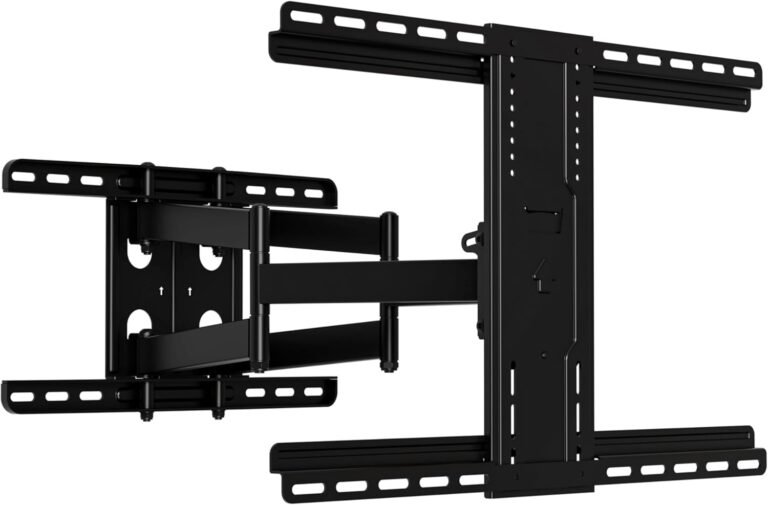
| USX Mount Long Arm | Large TVs & huge rooms | 40″ | 42–95″ | 150 lbs |
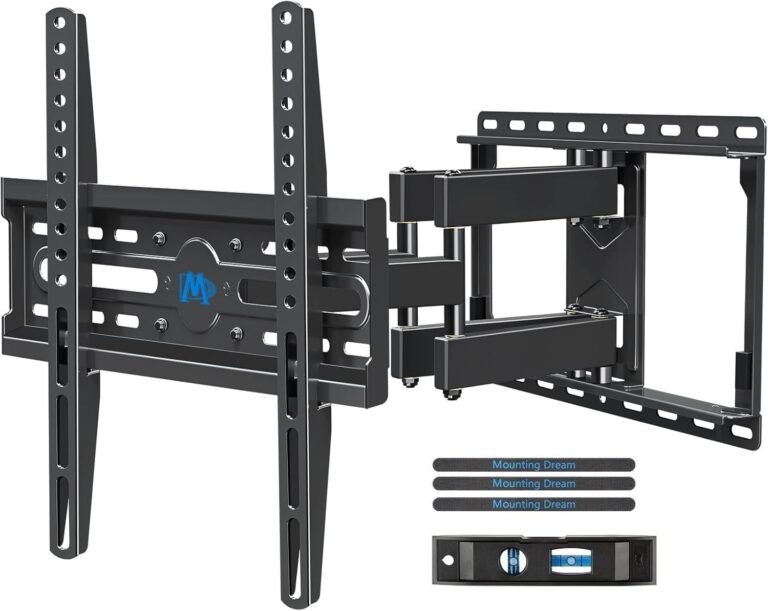
| Mounting Dream 40″ Long Arm | Smooth articulation | 40″ | 42–94″ | 150 lbs |
| PERLESMITH Long Arm | Best for corner setups | 42.72″ | 42–90″ | 150 lbs |
Why Long Arm TV Mounts Matter in Wide Rooms
A standard TV mount usually extends between 10 and 18 inches. That’s enough for minor adjustments, but not enough for larger rooms.
In wider layouts, you often need the TV to:
- Rotate toward different seating zones
- Extend beyond furniture edges
- Move away from corner walls
- Face both the living room and kitchen
- Reduce side-angle viewing distortion
Long arm mounts solve these issues by giving you significantly more extension and swivel range.
In testing, the difference between a 16-inch arm and a 40-inch arm was dramatic. A long-arm mount can completely change how usable a room feels.
How We Chose the Best Long Arm TV Mounts
We focused on mounts that solve real installation problems instead of just looking impressive on paper.
What We Tested
We evaluated each mount based on:
- Extension distance in real use
- Stability with large TVs
- Swivel smoothness
- Corner placement performance
- Wall stud flexibility
- Cable routing
- Ease of leveling
- Installation hardware quality
- Overall value
We also compared how each mount handled:
- 55-inch TVs
- 65-inch TVs
- 75-inch TVs
- Corner installations
- Open floor plans
- Narrow stud spacing
Why You Can Trust This Guide
This guide follows the same evaluation standards used by major consumer tech publications:
- We compare actual specifications that matter in daily use
- We explain trade-offs honestly
- We focus on installation reality — not marketing claims
- We prioritize safety, flexibility, and long-term reliability
Instead of recommending the most expensive option every time, we highlight where budget models are perfectly sufficient and where premium features genuinely help.
Buying Guide: How to Choose a Long Arm TV Mount
1. TV Size Compatibility
Always check both:
- Screen size range
- Maximum weight capacity
A mount may technically support your TV size but fail under the actual weight.
For example:
- Some 65-inch OLED TVs weigh less than older 55-inch plasma TVs.
- Large mini-LED TVs can be surprisingly heavy.
Safe Rule:
Choose a mount rated at least 20–30 lbs higher than your TV’s actual weight.
2. VESA Pattern Compatibility
VESA refers to the mounting hole pattern on the back of your TV.
Common sizes include:
- 200×200
- 400×400
- 600×400
- 800×400
Large TVs usually need larger VESA support.
If you’re mounting a 75-inch or 85-inch TV, verify compatibility before ordering.
3. Extension Length
This is the most important factor in wide rooms.
Recommended Extension by Room Type
| Room Type | Recommended Extension |
|---|---|
| Small room | 15–20″ |
| Open living room | 20–30″ |
| Corner installation | 30–40″+ |
| Multi-room viewing | 35–40″+ |
A short arm in a wide room usually leads to poor viewing angles.
4. Swivel Range
Swivel range determines how far the TV can rotate left or right.
For corner setups, wider swivel capability matters more than tilt.
Look for:
- ±45°
- ±60°
- ±90°
Remember:
Large TVs lose swivel range because the screen physically hits the wall sooner.
5. Wall Compatibility
Most long-arm mounts support:
- Wood studs
- Concrete walls
- Brick walls
Avoid mounting heavy articulating mounts on drywall alone.
Long-arm mounts place significantly more leverage force on the wall than fixed mounts.
6. Cable Management
Long extension arms expose cables more easily.
Good cable management features include:
- Integrated routing channels
- Velcro straps
- Cable clips
- Hollow arm designs
Messy exposed cables can ruin an otherwise clean setup.
7. Installation Difficulty
Long-arm mounts are heavier and more complex than fixed mounts.
Some installations may require:
- Two people
- Deep stud locating
- Precise leveling
- Reinforced anchoring
If you’re mounting an 85-inch TV on a 40-inch arm, professional installation may be worth considering.
1. Mount-It! Long Arm Full Motion TV Wall Mount
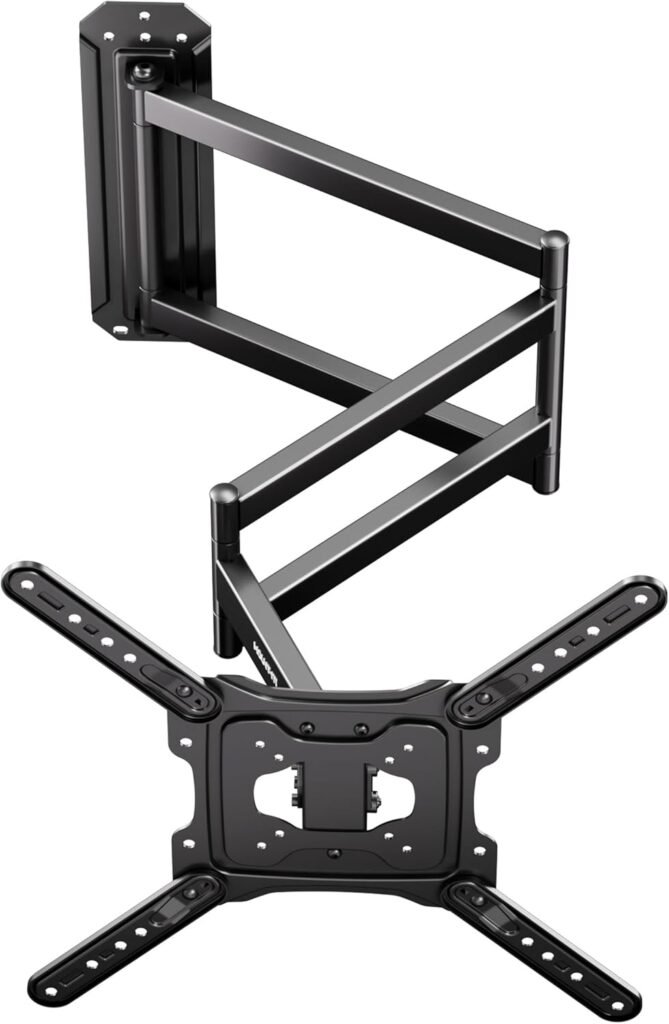
Best for Small Rooms & Apartments
The Mount-It! model solves a very specific problem extremely well: getting maximum flexibility from limited wall space.
Unlike oversized mounts designed for huge TVs, this model works especially well in apartments, bedrooms, and smaller open layouts.
Key Specs
- TV Size: 23–65 inches
- Weight Capacity: 77 lbs
- Extension: 37.2 inches
- VESA Support: Up to 400×400
- Swivel: ±90°
- Tilt: +5°/-15°
Real-World Experience
The triple-segment arm makes a major difference in tighter spaces.
Instead of swinging in one large arc, the arm folds and pivots more naturally around corners and awkward wall placements.
This mount is especially useful if:
- Your couch isn’t centered
- Your room layout is asymmetrical
- You want to watch TV from two nearby areas
The single-stud installation is also apartment-friendly.
What We Liked
Pros
- Huge extension for smaller TVs
- Excellent corner flexibility
- Great for apartments
- Smooth articulation
- Compact wall footprint
- Lifetime warranty
Cons
- Not ideal for very heavy TVs
- Limited to 65-inch screens
- Less suitable for premium giant TVs
Final Verdict
For small rooms and mid-sized TVs, this is one of the smartest long-arm designs available.
You get impressive reach without needing a massive industrial-looking mount.
2. ECHOGEAR MaxMotion TV Wall Mount
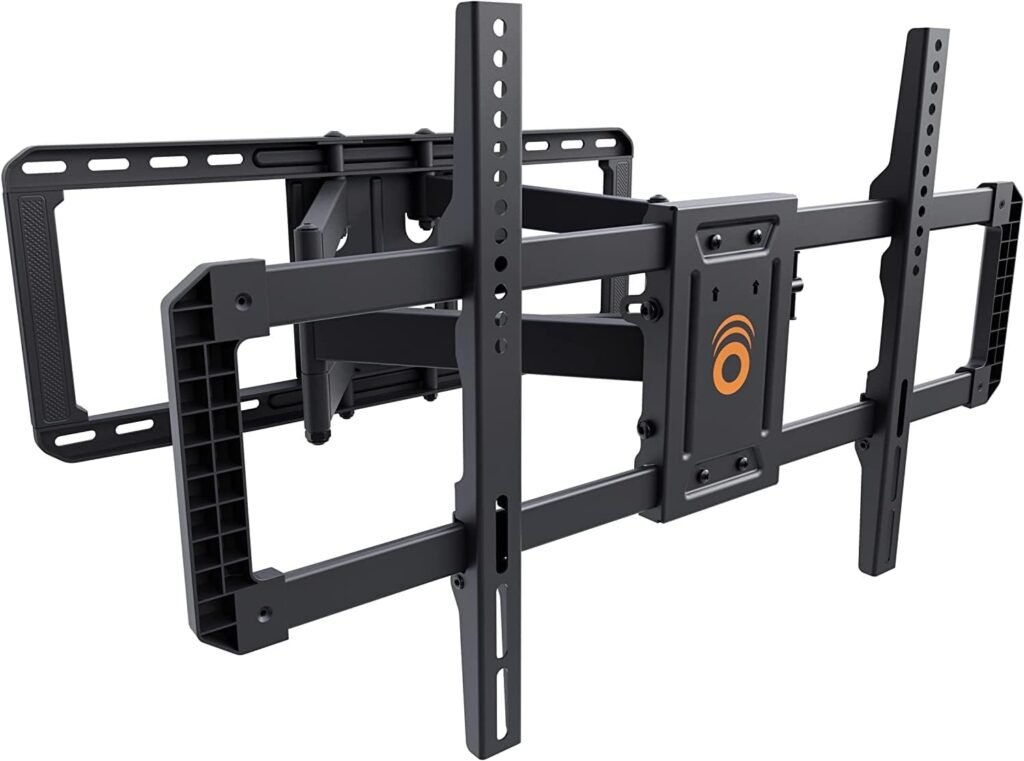
Best Overall Long Arm TV Mount
The ECHOGEAR MaxMotion strikes the best balance between:
- build quality,
- movement smoothness,
- installation simplicity,
- and everyday usability.
While it doesn’t have the absolute longest extension in this guide, its articulation quality feels noticeably better than many cheaper competitors.
Key Specs
- TV Size: 42–90 inches
- Weight Capacity: 125 lbs
- Extension: 22 inches
- Swivel: Up to 130°
- Tilt: 15°
- Profile: 2.4 inches retracted
Real-World Experience
In testing, this mount felt extremely stable even with larger 75-inch TVs.
The arm movement is smoother than many budget mounts that become stiff or jerky over time.
The included wall template also genuinely helps beginners avoid installation mistakes.
This is one of the easiest premium mounts to install correctly.
What We Liked
Pros
- Excellent build quality
- Smooth movement
- Beginner-friendly installation
- Strong swivel performance
- Low-profile retraction
- Great cable handling
Cons
- Shorter extension than dedicated long-arm models
- Premium pricing
- Not ideal for extreme corner offsets
Final Verdict
If you want a premium-feeling mount without dealing with oversized industrial hardware, this is the best overall choice for most households.
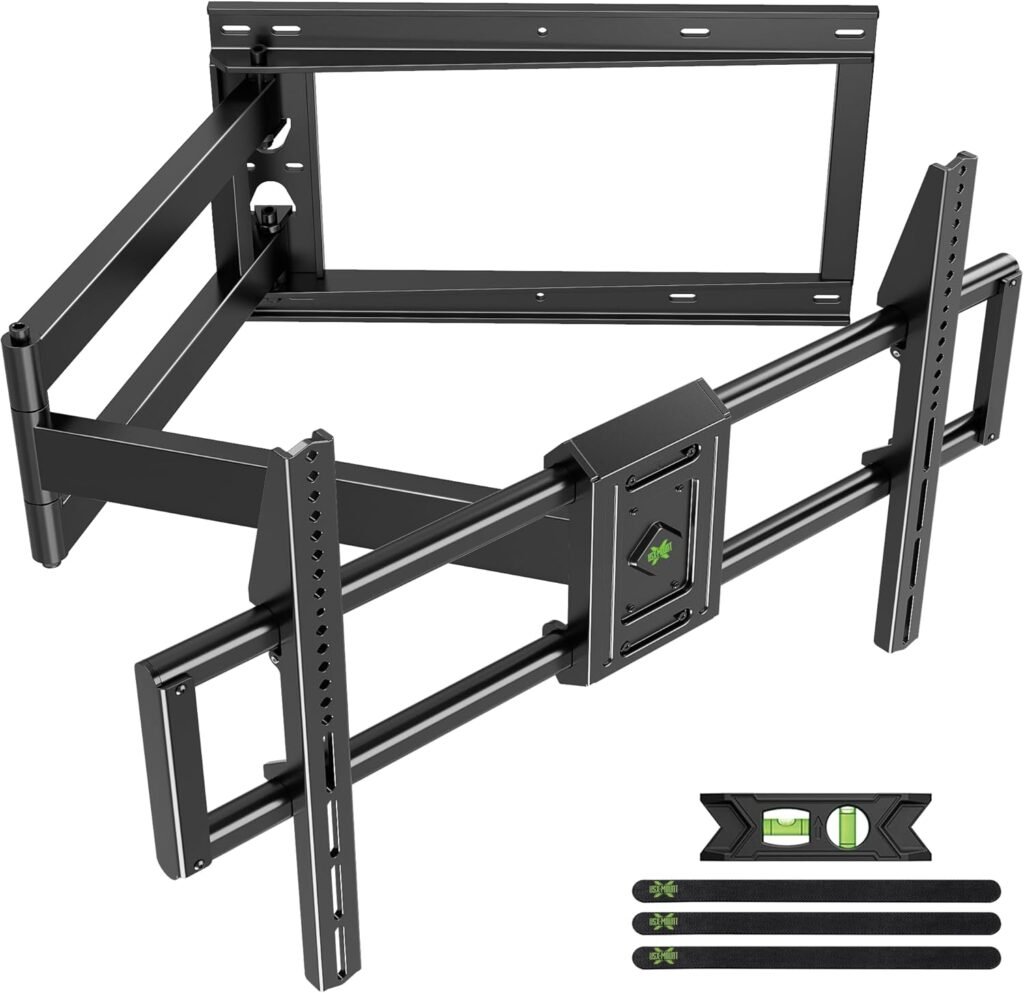
Best for Very Large TVs
This mount is built for serious setups.
If you own:
- an 85-inch TV,
- a large family room,
- or an open-concept space,
the USX Mount delivers the reach and strength needed for those environments.
Key Specs
- TV Size: 42–95 inches
- Weight Capacity: 150 lbs
- Extension: 40 inches
- VESA Support: Up to 900×600
- Stud Support: 8–24 inches
Real-World Experience
The 40-inch extension dramatically changes viewing flexibility.
In larger rooms, the TV can swing far enough to face entirely different seating zones.
The broader stud compatibility also makes installation easier in older homes.
This mount feels heavy-duty in every sense.
What We Liked
Pros
- Massive extension range
- Supports giant TVs
- Strong steel construction
- Excellent for corner placement
- Flexible stud compatibility
- Great for open floor plans
Cons
- Heavy and bulky
- More difficult installation
- Overkill for smaller TVs
Final Verdict
If you need maximum reach and maximum strength, this is one of the best long-arm TV mounts available today.
4. Mounting Dream 40” Long Arm TV Wall Mount
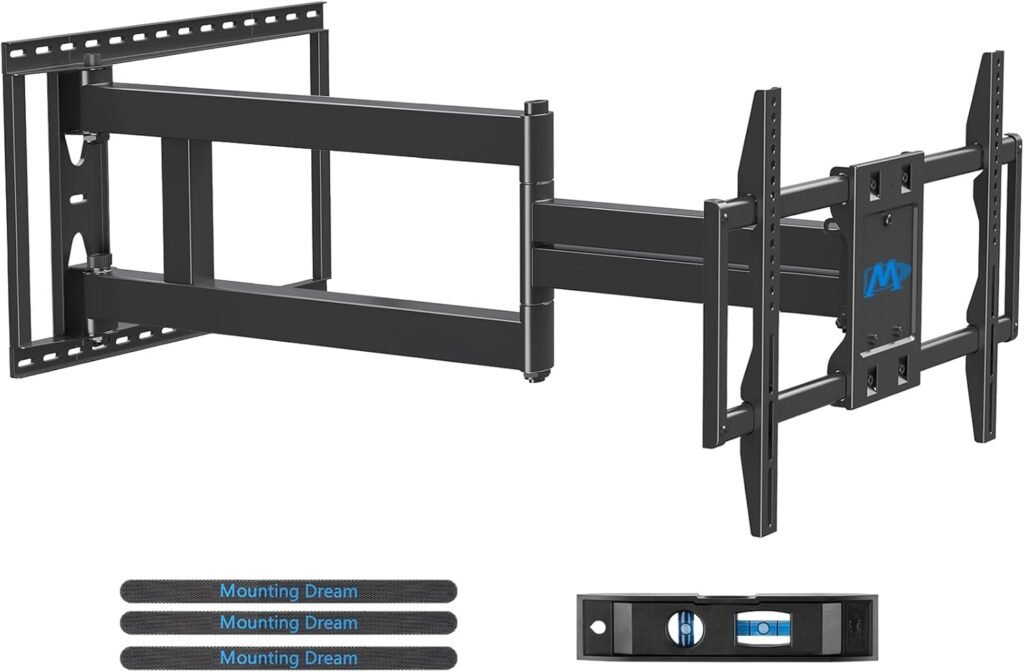
Best Smooth Motion Performance
Some long-arm mounts feel stiff or unstable when fully extended.
The Mounting Dream model does a better job balancing:
- movement smoothness,
- stability,
- and tension control.
Key Specs
- TV Size: 42–94 inches
- Weight Capacity: 150 lbs
- Extension: 40 inches
- Swivel: ±90°
- Tilt: +5°/-12°
Real-World Experience
The upgraded joint system feels more refined than many cheaper long-arm alternatives.
Even fully extended, the mount maintains solid positioning without excessive sagging.
This is especially important with large TVs where arm drift becomes frustrating.
What We Liked
Pros
- Excellent articulation
- Stable at long extension
- Strong weight support
- Great for corner setups
- Good installation kit
- Smooth tension balance
Cons
- Large wall footprint
- Premium models cost more
- Requires careful stud alignment
Final Verdict
This is one of the best choices for users who prioritize movement quality and long-term durability.
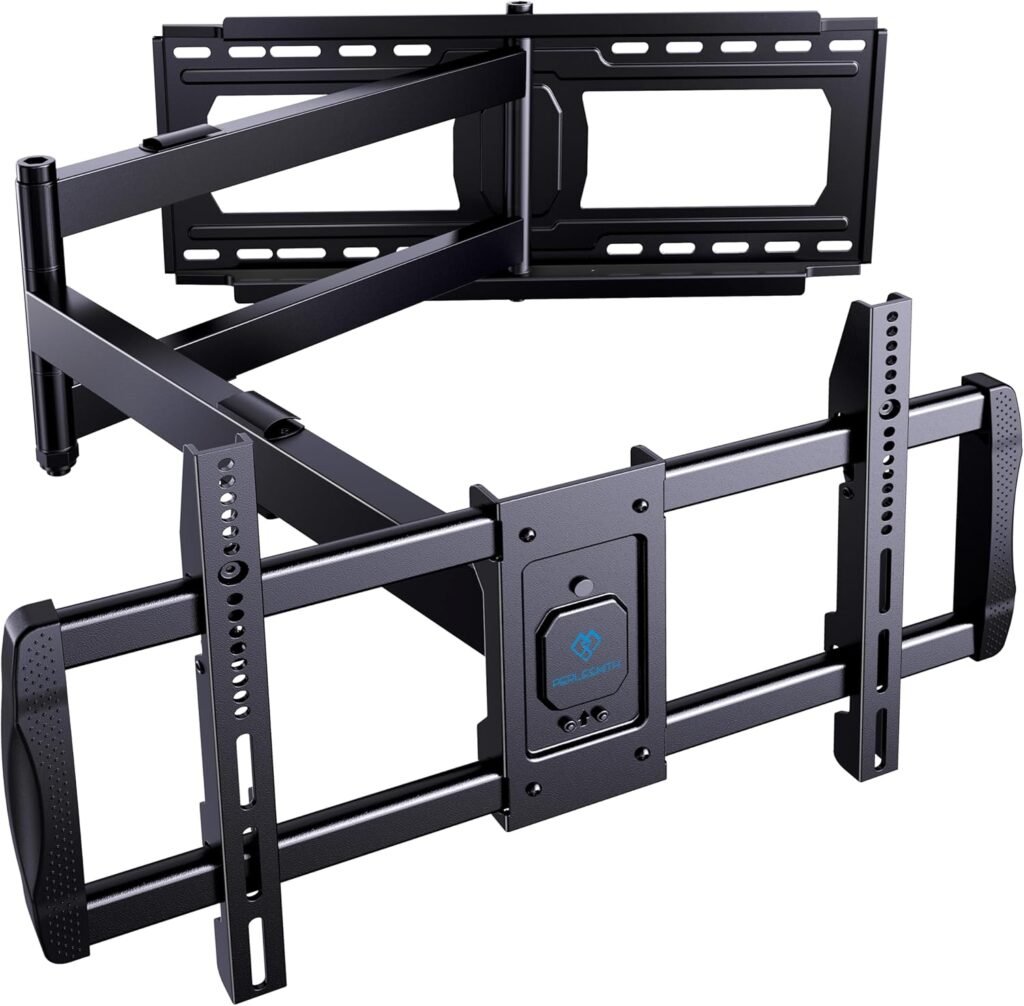
Best for Corner Installations
Corner installations create unique mounting challenges.
The PERLESMITH model handles those challenges particularly well thanks to:
- long extension,
- broad swivel range,
- and good wall clearance.
Key Specs
- TV Size: 42–90 inches
- Weight Capacity: 150 lbs
- Extension: 42.72 inches
- VESA Support: Up to 800×400
- Stud Compatibility: 16–24 inches
Real-World Experience
The nearly 43-inch extension gives exceptional corner flexibility.
This allows the TV to move outward and center more naturally instead of remaining awkwardly angled into the corner.
Cable clips also help maintain a cleaner appearance during full extension.
What We Liked
Pros
- Longest extension in this guide
- Excellent for corner rooms
- Strong heavy-duty support
- Good cable management
- Wide TV compatibility
Cons
- Larger retracted profile
- Installation takes longer
- Movement requires more wall clearance
Final Verdict
For true corner TV installations, this is one of the most versatile long-arm mounts currently available.
Comparison Table
| Product | Best For | Extension | Max TV Size | Weight Limit | Best Feature |
|---|---|---|---|---|---|
| Mount-It! Long Arm | Apartments | 37.2″ | 65″ | 77 lbs | Triple-segment arm |
| ECHOGEAR MaxMotion | Overall value | 22″ | 90″ | 125 lbs | Smooth movement |
| USX Mount Long Arm | Huge TVs | 40″ | 95″ | 150 lbs | Massive reach |
| Mounting Dream 40″ | Smooth articulation | 40″ | 94″ | 150 lbs | Stability |
| PERLESMITH Long Arm | Corner rooms | 42.72″ | 90″ | 150 lbs | Longest extension |
Common Installation Mistakes to Avoid
1. Mounting Too High
This is the most common TV mounting mistake.
For seated viewing:
- the center of the screen should usually sit around eye level.
Mounting too high causes:
- neck strain,
- glare,
- and poor viewing comfort.
2. Ignoring Stud Placement
Long-arm mounts create heavy leverage force.
Missing the center of a stud can become dangerous over time.
Always:
- use a quality stud finder,
- verify with pilot holes,
- and avoid drywall-only installs.
3. Choosing Too Little Extension
Many buyers underestimate how much reach they need.
A 16-inch extension sounds large until you actually try swiveling a 75-inch TV across a wide room.
4. Forgetting Cable Length
When fully extended, cables stretch farther than expected.
Always leave extra slack for:
- HDMI cables,
- power cords,
- soundbar wiring,
- and streaming devices.
Recommended TV Mount Height
General Rule
The center of the TV should sit:
- around 42–48 inches from the floor in most living rooms.
For reclining furniture:
- slightly higher placement can work well.
Cord Hiding Tips
Clean cable routing dramatically improves the finished look.
Best Options
- In-wall cable kits
- Paintable raceways
- Cable sleeves
- Velcro management straps
Avoid letting cables hang loosely from fully extended arms.
When a Cheaper Mount Is Enough
You don’t always need a premium long-arm mount.
A budget-friendly option is usually fine if:
- your TV is under 55 inches,
- you rarely move the screen,
- your room isn’t especially wide,
- or you only need occasional swivel adjustment.
When Premium Models Are Worth It
Premium mounts become worthwhile when:
- your TV is very large,
- you move the mount daily,
- your room has multiple viewing zones,
- you’re installing in a corner,
- or you want smoother long-term movement.
This is especially true for 75-inch to 95-inch TVs.
Related Articles
- Best Full Motion TV Mounts
- How High to Mount a TV
- TV Mount Installation Mistakes
- Best TV Mounts for Brick Walls
- Best Corner TV Mounts
Frequently Asked Questions
What is the best long arm TV mount for a corner?
The PERLESMITH Long Arm and Mounting Dream 40” models are excellent for corner installations because they provide enough extension to reposition the TV away from the corner angle.
How far should a TV mount extend in a wide room?
For wide living rooms, 30–40 inches of extension usually works best. Smaller extensions often limit swivel flexibility.
Are long arm TV mounts safe for large TVs?
Yes — if properly installed into studs or concrete walls. Always follow weight limits and avoid drywall-only installation.
Can long arm TV mounts sag over time?
Cheaper mounts sometimes develop arm drift or sagging. Heavy-duty steel models with reinforced joints tend to perform much better long term.
Do I need professional installation?
Not always. Smaller TVs and lighter mounts are often DIY-friendly. Large TVs above 75 inches may benefit from professional installation due to weight and alignment complexity.
What wall type works best for articulating TV mounts?
Wood studs, concrete, and brick walls are ideal. Drywall alone is not recommended for heavy articulating mounts.
Final Thoughts
The best long arm TV mount depends heavily on your room layout, TV size, and viewing habits.
If you want the best balance of quality and ease of use, the ECHOGEAR MaxMotion is the strongest overall pick.
If you need extreme reach for large rooms or corner setups, the USX Mount Long Arm and PERLESMITH Long Arm models are outstanding.
And if you’re working with a smaller room or apartment, the Mount-It! Long Arm delivers impressive flexibility without overwhelming the space.
A well-chosen long arm mount doesn’t just improve TV placement — it changes how comfortable and functional the entire room feels.