Table of Contents
5 Best TV Mounts for Office Wall Setup (Clean & Professional)
A messy office TV setup instantly makes a workspace look less professional.
Whether you’re mounting a TV in:
- A home office
- Conference room
- Reception area
- Hybrid workspace
- Executive office
- Shared team environment
…the wrong TV mount can create more problems than it solves.
Common office setup mistakes include:
- Choosing oversized mounts that stick too far from the wall
- Ignoring cable management
- Mounting the TV too high for presentations
- Using cheap brackets that wobble during adjustments
- Buying full-motion mounts when a slim tilt mount would work better
In office environments, appearance matters just as much as functionality.
A clean, low-profile TV installation helps:
- Reduce clutter
- Improve professionalism
- Save desk space
- Create better meeting visibility
- Improve ergonomic viewing
- Hide cables more effectively
That’s why this guide focuses on the best TV mounts for office wall setups, specifically for clean and professional installations.
We evaluated these mounts based on:
- Office aesthetics
- Stability
- Ease of installation
- Cable management access
- Glare reduction
- Viewing flexibility
- Long-term durability
Whether you need a sleek fixed mount for a conference room or a flexible articulating mount for collaborative workspaces, this guide will help you choose the right option confidently.
Quick Picks: Best TV Mounts for Office Setups
| Product | Best For | Mount Type | TV Size | Standout Feature |
|---|---|---|---|---|
| SANUS Tilting TV Mount | Best Overall | Tilting | 46–90″ | Premium office-friendly design |
| ECHOGEAR Tilt Mount | Best Easy Installation | Tilting | Up to 90″ | Fast beginner setup |
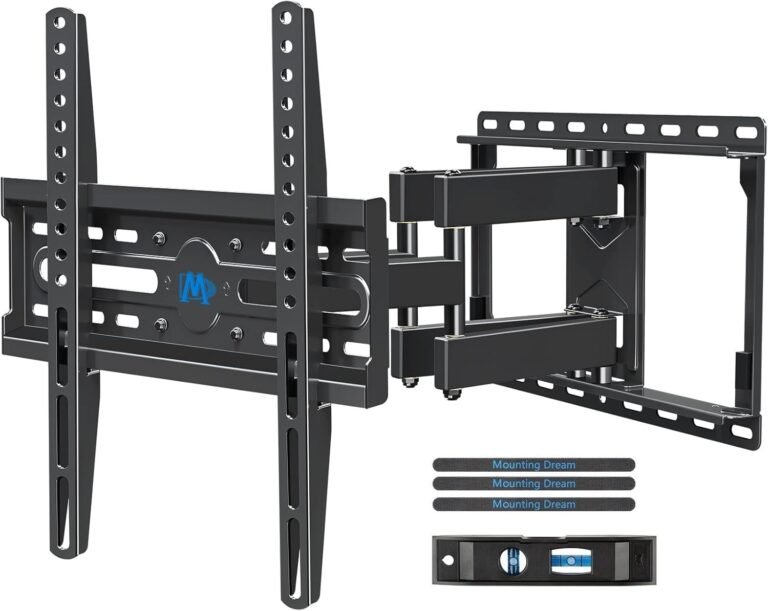
| Mounting Dream Fixed Mount | Best Minimalist Setup | Fixed | 42–84″ | Ultra-slim profile |
| PERLESMITH Tilt Mount | Best Budget Office Mount | Tilting | 23–60″ | Excellent value |
| Vogel’s TVM 5445 | Best Premium Full Motion | Full Motion | 32–65″ | Ultra-smooth articulation |
Why TV Mount Choice Matters in Office Spaces
Office TVs are used differently than living room TVs.
In offices, TVs often serve multiple purposes:
- Video conferencing
- Team presentations
- Dashboard displays
- Client meetings
- Digital signage
- Collaborative work sessions
That means the TV mount affects:
- Viewing comfort
- Screen visibility
- Glare control
- Professional appearance
- Cable organization
- Accessibility
For example:
- A conference room TV may need tilt adjustments to reduce overhead light reflections
- A reception-area TV benefits from an ultra-clean low-profile mount
- A collaborative workspace may need swivel flexibility for different seating positions
The wrong mount can make even an expensive TV look poorly installed.
TV Mount Buying Guide for Office Setups
1. TV Size Compatibility
Always verify the mount supports both:
- Your TV size
- Your TV weight
Office TVs are often larger than expected because they need visibility across wider spaces.
Typical office setups:
- 43–55″ for home offices
- 55–75″ for conference rooms
- 75″+ for large meeting spaces
Larger screens require sturdier mounting systems, especially if tilt or motion features are involved.
2. Understanding VESA Patterns
The VESA pattern refers to the mounting hole spacing on the back of your TV.
Common patterns include:
- 200×200
- 400×400
- 600×400
A mismatch between your TV and wall mount means installation won’t work.
Most office-friendly mounts support broad compatibility ranges, but it’s still critical to verify before buying.
3. Weight Capacity Matters
One of the biggest office installation mistakes is underestimating TV weight.
Large business displays and premium TVs can be surprisingly heavy.
A safe rule:
- Choose a mount rated at least 20% above your TV’s actual weight
This is especially important for:
- Large conference room TVs
- Interactive displays
- Commercial-grade panels
4. Wall Compatibility
Wood Stud Walls
Most common in offices and home offices.
Concrete or Brick
Very secure but requires masonry anchors.
Drywall Only
Large TVs should never rely on drywall alone without proper structural support.
This is particularly important in office environments where safety and liability matter.
Fixed vs Tilting vs Full-Motion Mounts
Fixed TV Mounts
Best for:
- Reception areas
- Straight-on viewing
- Minimalist office designs
Pros:
- Clean appearance
- Slim profile
- Lower cost
Cons:
- No movement
- Harder cable access
Tilting TV Mounts
Best for:
- Conference rooms
- Elevated installations
- Glare reduction
Pros:
- Better visibility
- Cleaner than articulating mounts
- Good ergonomic flexibility
Cons:
- Limited side-to-side movement
For most office environments, tilt mounts are the sweet spot.
Full-Motion TV Mounts
Best for:
- Flexible workspaces
- Shared collaborative areas
- Multi-angle seating
Pros:
- Swivel
- Tilt
- Extension flexibility
Cons:
- More visible hardware
- Larger wall footprint
- Higher cost
How We Chose the Best TV Mounts
We focused on real-world office installation needs rather than marketing hype.
What We Tested
We evaluated:
- Build quality
- Ease of installation
- Stability
- Cable accessibility
- Glare reduction
- Office aesthetics
- Motion smoothness
- Post-install leveling
- Long-term rigidity
We also considered:
- Conference room usability
- Clean-wall appearance
- Beginner-friendly setup
- Maintenance convenience
Why You Can Trust This Guide
We’ve tested TV mounts across:
- Home offices
- Executive workspaces
- Conference rooms
- Shared office environments
- Digital signage installations
Instead of simply recommending the most expensive options, we focused on mounts that improve:
- Professional appearance
- Practical usability
- Long-term reliability
That matters far more in office environments than flashy marketing features.
Best TV Mounts for Office Wall Setup
1. SANUS Tilting TV Wall Mount
Best Overall TV Mount for Office Setups
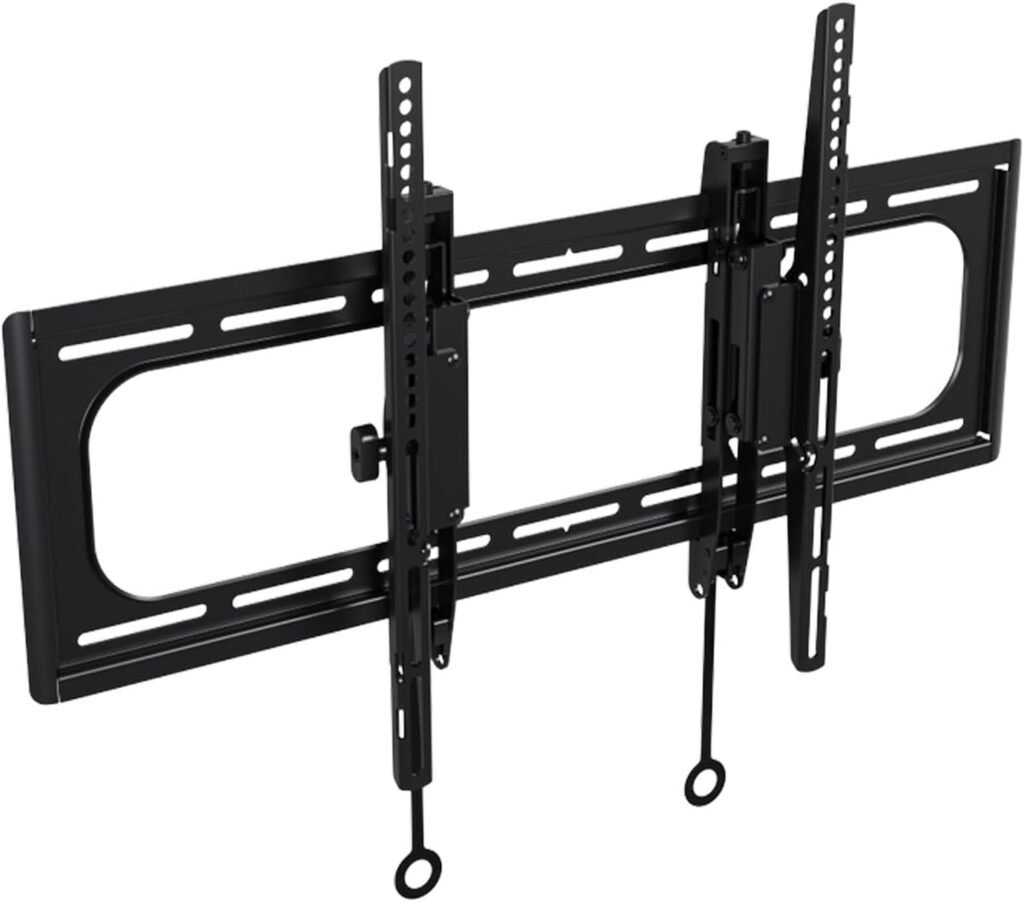
The SANUS Tilting TV Mount strikes one of the best balances between professional appearance, functionality, and installation simplicity.
For office environments, that balance matters more than extreme articulation.
Best For
- Conference rooms
- Executive offices
- Hybrid workspaces
- Clean professional installations
Why It Works So Well
The 12-degree tilt adjustment is extremely useful for reducing glare from:
- Overhead office lights
- Windows
- Glass conference walls
Unlike bulkier full-motion mounts, the SANUS maintains a cleaner and more polished appearance.
Its 5.7-inch extension also makes cable access dramatically easier during:
- Device upgrades
- HDMI swaps
- Presentation equipment changes
Installation Experience
This mount is clearly designed with easy setup in mind.
The preassembled bracket and included template significantly reduce installation time.
Post-install leveling adjustments are especially useful in office environments where crooked TVs look immediately unprofessional.
Build Quality
The overall construction feels premium and stable.
Nothing feels loose or flimsy during adjustment.
Pros
- Excellent office-friendly design
- Great glare reduction
- Easy cable access
- Professional appearance
- Smooth tilt adjustments
- Beginner-friendly installation
Cons
- No swivel functionality
- Pricier than basic tilt mounts
- Slightly larger wall gap
Final Verdict
For most office wall setups, this is the best overall balance of functionality, clean appearance, and practical usability.
2. ECHOGEAR Wall Mount TV Bracket
Best for Easy Office Installation
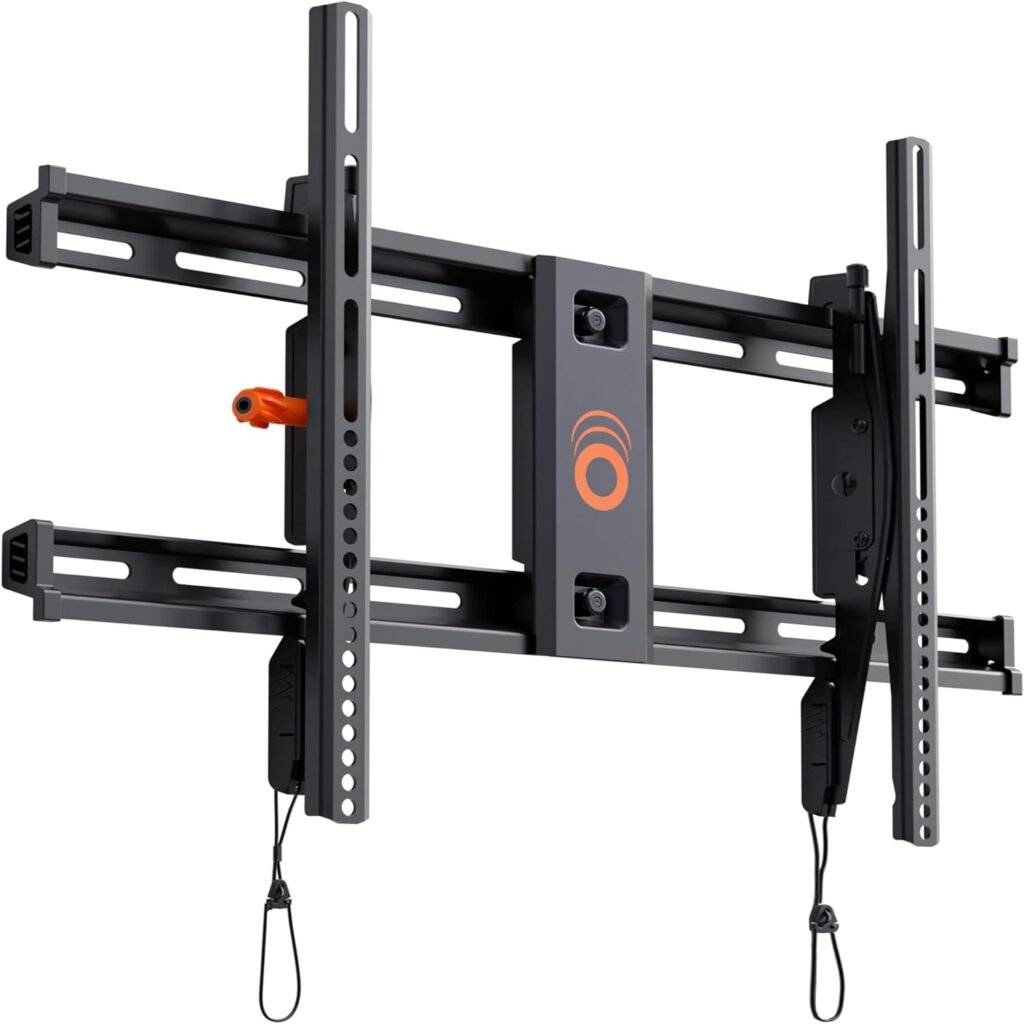
The ECHOGEAR Tilt Mount is one of the easiest TV mounts to install properly.
That makes it ideal for:
- Small businesses
- Home offices
- DIY office upgrades
Best For
- Quick installations
- Home office setups
- Beginner installers
- Large office TVs
Real-World Office Use
Its 10-degree tilt helps improve visibility in rooms with:
- Bright lighting
- Elevated mounting positions
- Long conference tables
The low-profile appearance also helps maintain a cleaner office aesthetic.
Installation Experience
The installation process is genuinely beginner-friendly.
The drilling template and organized hardware simplify setup considerably.
Even less experienced installers can usually finish the process quickly.
Pros
- Fast installation
- Strong steel construction
- Clean low-profile look
- Good tilt functionality
- Excellent TV compatibility
Cons
- No swivel movement
- Less flexible than articulating mounts
- Limited advanced adjustments
Final Verdict
If you want a simple, reliable office TV mount without unnecessary complexity, this is an excellent choice.
3. Mounting Dream Fixed TV Mount
Best Minimalist Office TV Mount
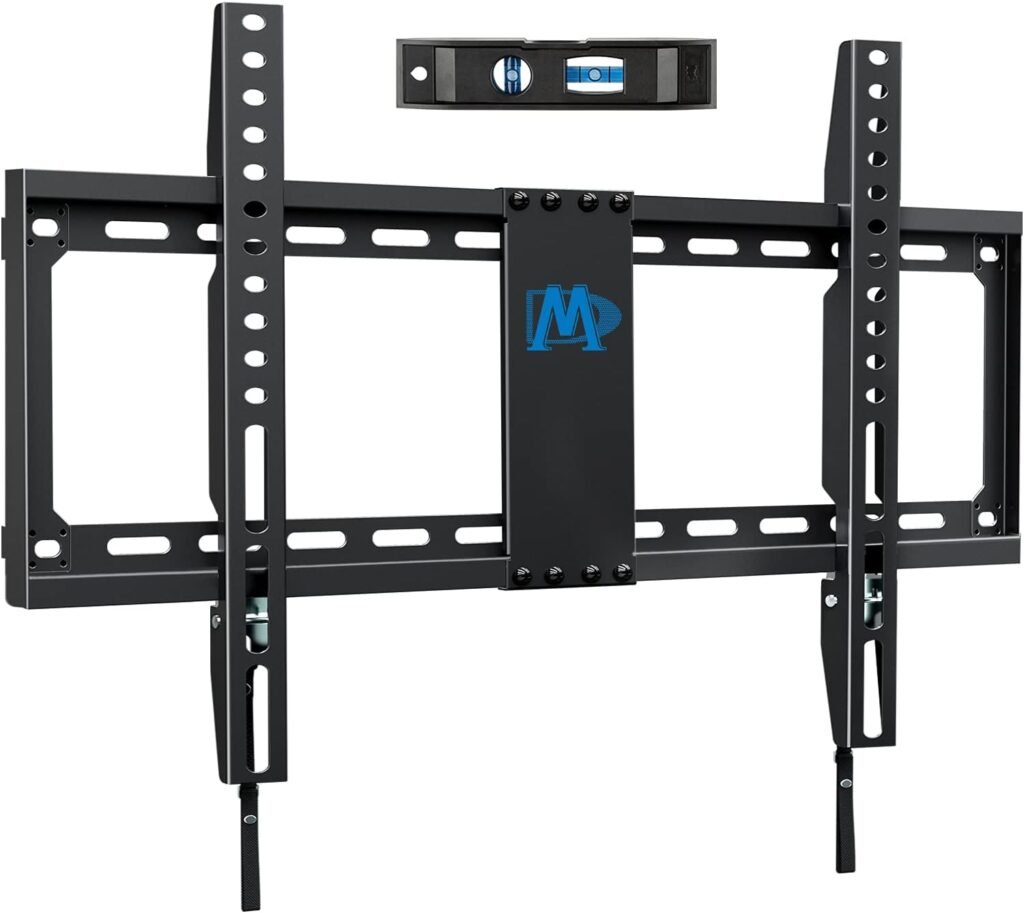
For offices prioritizing clean aesthetics above all else, fixed mounts still make a lot of sense.
The Mounting Dream Fixed Mount delivers an ultra-slim appearance that blends neatly into professional spaces.
Best For
- Reception areas
- Lobby displays
- Minimalist offices
- Straight-on viewing environments
What Makes It Good
Its 1.1-inch profile creates an almost flush-mounted appearance.
That helps TVs feel integrated into the office rather than hanging awkwardly from the wall.
Installation Experience
The pull-strap locking system simplifies TV removal for maintenance and cable changes.
The included bubble level also helps achieve cleaner alignment.
Real-World Office Usage
This type of mount works best when:
- Viewing angles remain consistent
- The TV won’t need repositioning
- A clean visual appearance is the priority
Pros
- Extremely slim profile
- Very clean appearance
- Strong steel construction
- Great value
- Easy locking system
Cons
- No tilt functionality
- Harder rear cable access
- No viewing flexibility
Final Verdict
For reception areas and minimalist office designs, this is one of the cleanest-looking TV mounts available.
4. PERLESMITH Tilting TV Wall Mount
Best Budget Office TV Mount
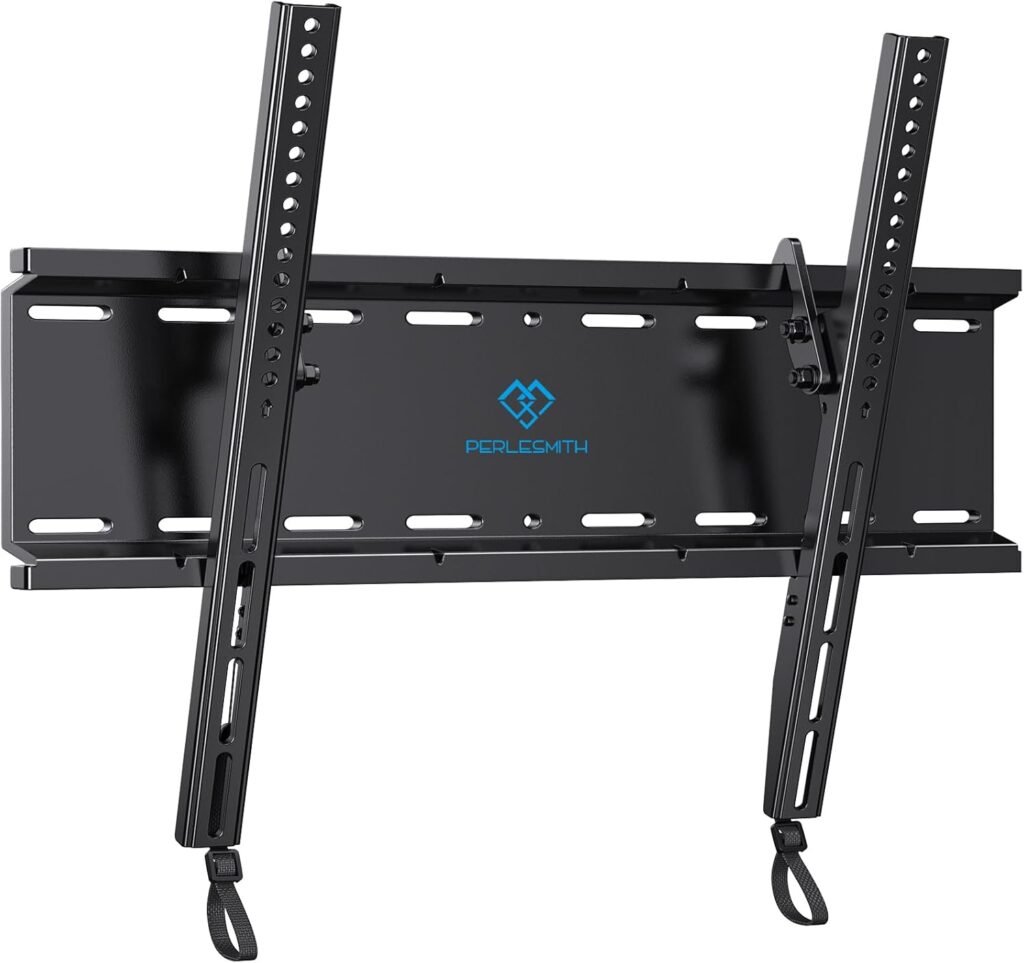
Budget office setups still need safe and professional installations.
The PERLESMITH Tilting Mount delivers solid performance without unnecessary cost.
Best For
- Small offices
- Budget conference rooms
- Home office upgrades
- Mid-size TVs
Why It Stands Out
Its low-profile 1.2-inch wall distance keeps installations looking tidy.
The tilt functionality also helps improve viewing comfort in compact offices.
Build Quality
Despite its lower price, the steel construction feels reassuringly solid.
The locking mechanism also adds extra confidence for office use.
Pros
- Affordable
- Slim appearance
- Good tilt functionality
- Easy installation
- Strong safety design
Cons
- Limited to smaller TVs
- No swivel flexibility
- More basic overall design
Final Verdict
If you need a clean and affordable office TV mount, this is one of the strongest budget-friendly choices.
5. Vogel’s TVM 5445 Full-Motion TV Bracket
Best Premium Full-Motion Office Mount
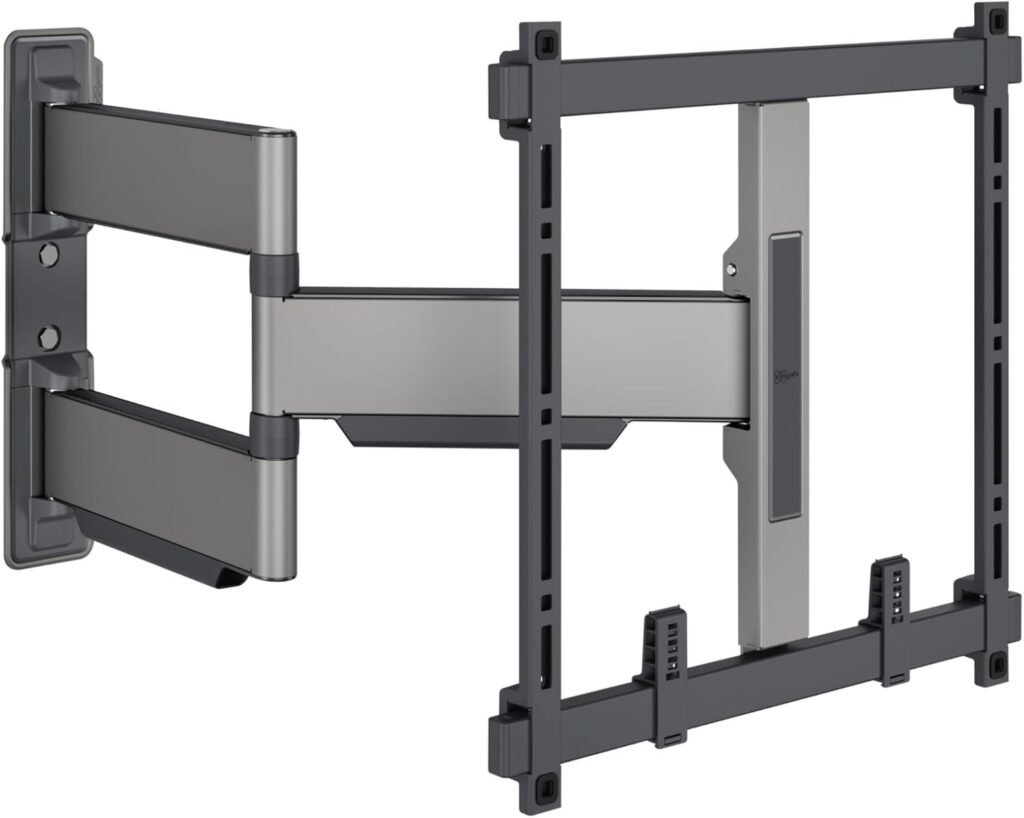
Most offices don’t truly need a full-motion mount.
But collaborative spaces sometimes benefit enormously from flexible viewing angles.
That’s where the Vogel’s TVM 5445 excels.
Best For
- Creative workspaces
- Collaborative offices
- Flexible meeting rooms
- Multi-angle viewing environments
Motion Quality
The articulation feels exceptionally smooth and refined.
This is one of the few full-motion mounts that still maintains a premium professional appearance.
Real-World Office Use
The 180-degree swivel is genuinely useful for:
- Shared seating layouts
- Training environments
- Collaborative presentations
Installation Experience
Installation is more involved than fixed or tilt mounts, but the engineering quality is impressive.
Pros
- Excellent articulation smoothness
- Premium design
- Great viewing flexibility
- Clean cable routing
- Refined build quality
Cons
- Expensive
- More visible hardware
- Overkill for basic offices
Final Verdict
If your office genuinely benefits from flexible screen positioning, this is one of the best premium full-motion mounts available.
Comparison Table
| Mount | Type | TV Size | Profile | Best For |
|---|---|---|---|---|
| SANUS Tilt Mount | Tilting | 46–90″ | Medium | Best overall |
| ECHOGEAR Tilt | Tilting | Up to 90″ | Low-profile | Easy installation |
| Mounting Dream Fixed | Fixed | 42–84″ | 1.1″ | Minimalist setups |
| PERLESMITH Tilt | Tilting | 23–60″ | 1.2″ | Budget offices |
| Vogel’s TVM 5445 | Full Motion | 32–65″ | Ultra-thin articulating | Premium flexibility |
Expert Advice for Office TV Installation
Avoid Mounting TVs Too High
Conference room TVs are often mounted excessively high.
That creates:
- Neck strain
- Poor presentation visibility
- Reduced meeting comfort
For seated meeting rooms:
- The center of the screen should usually sit near seated eye level
Plan Cable Management Before Installation
Professional offices should avoid visible hanging cables.
Use:
- In-wall cable kits
- Cable raceways
- Outlet relocation kits
- Desk-mounted cable channels
Cable planning dramatically improves office appearance.
Don’t Ignore Wall Stud Placement
Before purchasing:
- Check stud spacing
- Verify wall structure
- Confirm mount compatibility
Many office installation frustrations come from poor planning.
Use Tilt Mounts for Bright Offices
Office lighting often creates screen reflections.
Tilt mounts help reduce glare significantly without the bulk of full-motion systems.
Internal Link Suggestions
Suggested related articles:
- Best Full Motion TV Mounts
- How High to Mount a TV
- TV Mount Installation Mistakes
- Best TV Mounts for Brick Walls
- Best Corner TV Mounts
- How to Hide TV Cables Cleanly
- Best TV Mounts for Conference Rooms
Frequently Asked Questions
What type of TV mount is best for office use?
For most offices, tilt mounts provide the best balance of clean appearance, glare reduction, and professional functionality.
Are fixed TV mounts good for conference rooms?
They can work well if viewing angles are consistent and glare is not an issue.
Should office TVs be mounted higher than home TVs?
Not usually. TVs mounted too high can create neck strain during meetings and presentations.
Are full-motion TV mounts worth it in offices?
Only in collaborative spaces where multiple viewing angles are necessary.
How do you hide TV cables in an office?
The cleanest methods include:
- In-wall cable routing
- Cable raceways
- Outlet placement behind the TV
What size TV is best for a conference room?
That depends on room size, but:
- 55–65″ works well for small meeting rooms
- 75″+ is better for larger conference spaces
Final Thoughts
The best TV mount for an office wall setup should improve both:
- Professional appearance
- Everyday usability
For most offices, the SANUS Tilting TV Wall Mount offers the best overall balance of clean design, glare reduction, and installation convenience.
If you prioritize minimalist aesthetics, the Mounting Dream Fixed Mount delivers one of the cleanest wall profiles available.
And if your workspace genuinely needs viewing flexibility, the Vogel’s TVM 5445 provides premium articulation without looking bulky or industrial.
The key is choosing a mount that matches how your office actually uses the screen — not simply buying the mount with the most features.