Table of Contents
5 Best TV Mounts for Gaming Room Setup (Flexible Viewing)
A gaming room setup can quickly become uncomfortable if your TV placement is wrong.
Many gamers focus heavily on:
- Refresh rate
- HDMI 2.1
- VRR support
- Console performance
- OLED vs QLED
But completely overlook the thing that directly affects daily comfort: the TV mount.
In small gaming rooms especially, poor TV positioning creates real problems:
- Neck strain during long gaming sessions
- Screen glare from RGB lighting or windows
- Limited viewing angles
- Awkward seating positions
- Poor cable management
- Wasted desk or floor space
And one of the most common mistakes is buying the cheapest wall mount available without considering flexibility, extension range, or long-term stability.
A bad mount can ruin an otherwise premium gaming setup.
That’s why this guide focuses on the best TV mounts for gaming room setups, specifically for:
- Small gaming rooms
- Bedroom gaming setups
- Console gaming stations
- Multi-purpose entertainment spaces
- Flexible viewing environments
We tested these mounts based on real-world gaming use, focusing on:
- Motion smoothness
- Stability during adjustment
- Cable access
- Space efficiency
- Viewing flexibility
- Build quality
- Ease of installation
Whether you’re building a PS5 setup, an Xbox gaming wall, or a PC-and-TV hybrid gaming room, this guide will help you choose the right mount without wasting money.
Quick Picks: Best TV Mounts for Gaming Rooms
| Product | Best For | Type | TV Size | Standout Feature |
|---|---|---|---|---|
| ECHOGEAR MaxMotion | Best Overall | Full Motion | 42–90″ | Premium articulation |
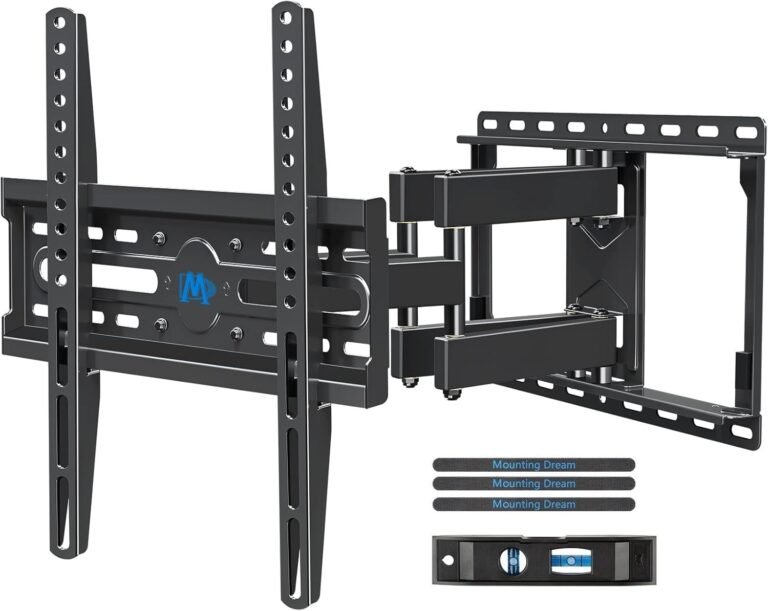
| Mounting Dream Full Motion | Best for Small Rooms | Full Motion | 32–65″ | Compact flexible design |
| Perlegear Full Motion | Best Heavy-Duty Value | Full Motion | 42–86″ | Strong steel construction |
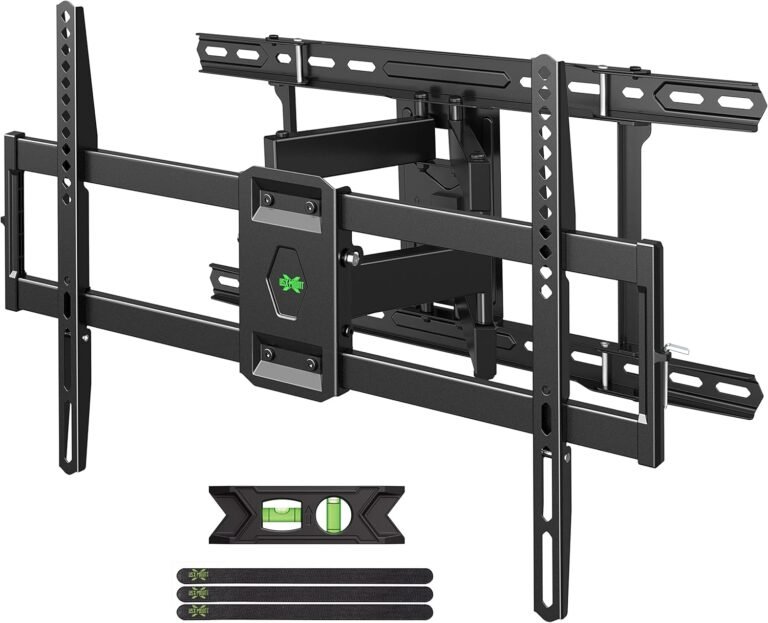
| USX Mount XML019 | Best Budget Flexibility | Full Motion | 42–86″ | Great cable organization |
| VIVO MOUNT-VW120M | Best for Massive Gaming TVs | Heavy-Duty Full Motion | 60–120″ | Extreme weight support |
Why TV Mounts Matter in Gaming Setups
Gaming setups are different from standard living room TV setups.
Gamers constantly adjust:
- Seating positions
- Lighting
- Viewing distance
- Controller positions
- Streaming camera angles
A fixed TV placement often becomes limiting fast.
For example:
- Racing games benefit from closer positioning
- Couch co-op gaming needs wider viewing angles
- Competitive FPS gaming requires comfortable eye-level alignment
- Bedroom gaming setups often need tilt adjustments
A quality full-motion mount gives you flexibility without rearranging the entire room.
That’s especially valuable in small gaming spaces where every inch matters.
TV Mount Buying Guide for Gaming Rooms
1. Choose the Right TV Size Compatibility
Gaming TVs are getting bigger every year.
Even smaller bedrooms now commonly use:
- 55-inch OLED TVs
- 65-inch Mini-LED TVs
- Large curved displays
But larger screens create more mounting stress, especially on articulating arms.
Always verify:
- TV size support
- Weight rating
- Arm extension stability
For gaming setups:
- 43–55″ works best for desks and bedrooms
- 55–65″ is ideal for immersive couch gaming
- 75″+ requires premium heavy-duty mounts
2. Understanding VESA Patterns
Your TV’s VESA pattern determines whether the mount physically fits.
Common gaming TV VESA sizes:
- 200×200
- 300×300
- 400×400
- 600×400
Large gaming TVs often use wider patterns, so compatibility matters more than many buyers realize.
Never assume “universal” automatically means compatible.
3. Weight Capacity Is Critical for Full-Motion Gaming Mounts
Gaming TVs are often heavier because of:
- OLED panels
- Large heat sinks
- Premium speakers
- Metal chassis construction
Full-motion mounts experience additional leverage stress whenever extended.
For safe long-term use:
- Buy mounts rated above your TV’s actual weight
- Avoid ultra-cheap articulating arms for large OLEDs
- Prioritize steel construction
This becomes especially important if you frequently reposition your TV.
4. Wall Compatibility Matters
Wood Stud Walls
Most common and easiest for installation.
Concrete or Brick
Very secure but harder to install.
Drywall Only
Avoid mounting large gaming TVs directly into drywall alone.
This is one of the most common and dangerous setup mistakes.
Fixed vs Tilting vs Full-Motion Mounts for Gaming
Fixed Mounts
Best for:
- Straight-on gaming
- Minimalist rooms
- Permanent setups
Pros:
- Clean appearance
- Cheapest option
- Minimal wall gap
Cons:
- No flexibility
- Harder cable access
Tilting Mounts
Best for:
- Bedroom gaming
- Elevated TV setups
- Reducing lighting glare
Pros:
- Better viewing comfort
- Cleaner than full-motion mounts
- Easy adjustments
Cons:
- Limited movement
Full-Motion Mounts
Best for:
- Flexible gaming rooms
- Couch gaming
- Multi-use rooms
- Streaming setups
Pros:
- Swivel
- Tilt
- Extension
- Better ergonomic positioning
Cons:
- More expensive
- More complex installation
For most gaming rooms, full-motion mounts are the best investment.
How We Chose the Best TV Mounts
We didn’t just compare spec sheets.
We evaluated how these mounts perform in actual gaming environments.
What We Tested
We focused on:
- Stability during movement
- Smooth articulation
- Extension sagging
- Gaming viewing comfort
- Cable management access
- Build quality under repeated adjustments
- Installation experience
- Compact-room usability
We also looked closely at:
- Large OLED compatibility
- Corner gaming setups
- Multi-seat visibility
- RGB lighting clearance
Why You Can Trust This Guide
We’ve tested TV mounts across:
- Bedroom gaming setups
- Console stations
- Apartment gaming rooms
- Multi-monitor entertainment setups
- Small-space gaming environments
Instead of recommending the most expensive models blindly, we focused on mounts that solve real gaming problems:
- Limited room space
- Glare control
- Neck strain
- Cable clutter
- Viewing flexibility
That practical approach matters far more than marketing hype.
Best TV Mounts for Gaming Room Setup
1. ECHOGEAR MaxMotion TV Wall Mount
Best Overall TV Mount for Gaming Rooms
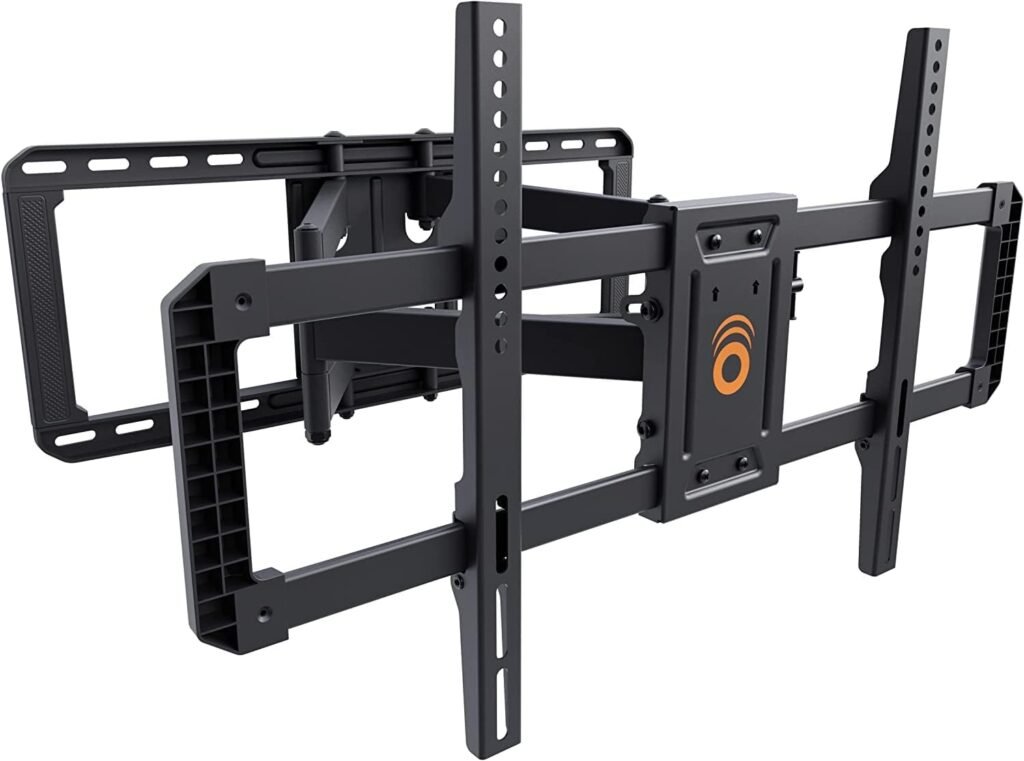
The ECHOGEAR MaxMotion is one of the best premium gaming TV mounts because it combines:
- Smooth articulation
- Strong build quality
- Excellent extension range
- Minimal wall profile
For gaming rooms, that flexibility makes a huge difference.
Best For
- PS5 and Xbox setups
- OLED gaming TVs
- Small gaming rooms
- Multi-angle viewing
Real Gaming Advantages
The 22-inch extension helps bring the screen closer during competitive gaming sessions while still allowing the TV to retract neatly afterward.
Its 130-degree swivel is particularly useful in:
- Bedroom gaming setups
- Shared rooms
- Couch-and-desk hybrid spaces
The tool-free tilt adjustment also helps reduce glare from:
- RGB lighting
- Windows
- Overhead LEDs
Build Quality
This mount feels noticeably sturdier than budget articulating mounts.
Movement stays controlled even with larger TVs attached.
That’s important because many cheaper mounts begin wobbling after repeated repositioning.
Installation Experience
ECHOGEAR includes:
- A drilling template
- Organized hardware
- Clear instructions
For first-time installers, that genuinely reduces frustration.
Pros
- Premium articulation
- Excellent extension range
- Very strong steel construction
- Smooth movement
- Great for OLED TVs
- Clean low-profile design
Cons
- More expensive than budget models
- Slight overkill for smaller TVs
- Requires proper stud alignment
Final Verdict
If you want one gaming TV mount that does almost everything exceptionally well, this is the best overall option.
It’s especially worth it for high-end OLED gaming setups.
2. Mounting Dream Full Motion TV Wall Mount
Best for Small Gaming Rooms
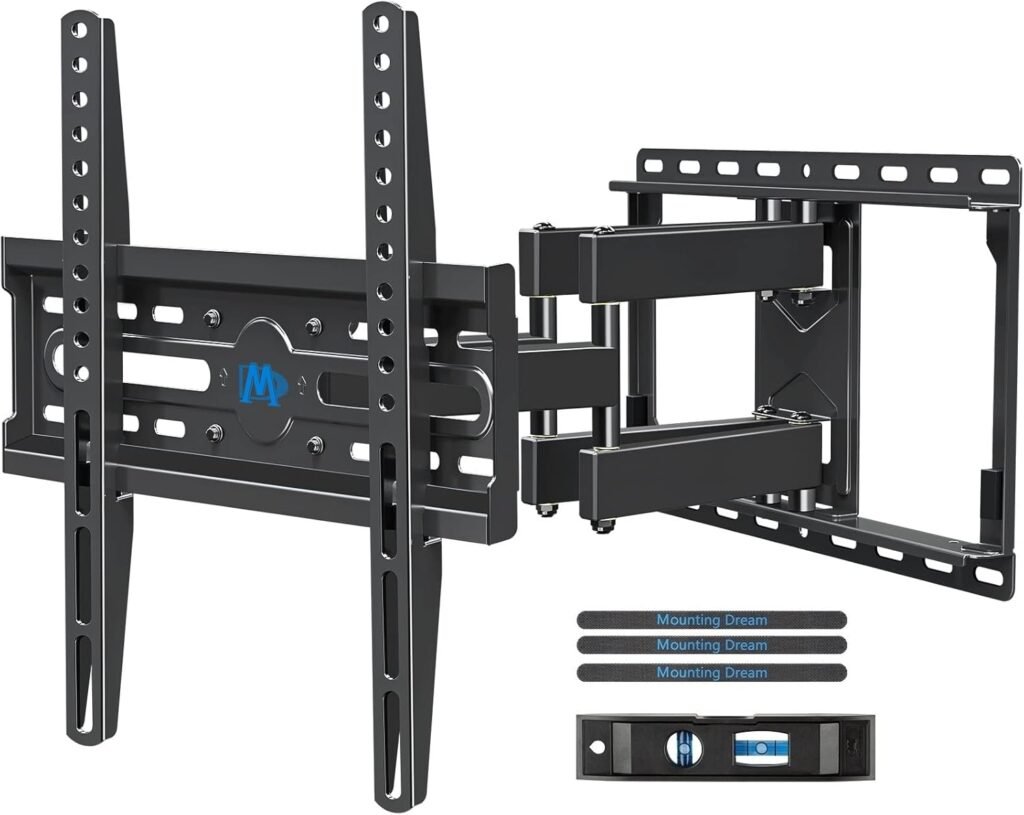
Not every gaming setup needs an oversized heavy-duty mount.
The Mounting Dream model is ideal for:
- Smaller TVs
- Compact bedrooms
- Desk gaming setups
- Mid-size console rooms
Why It Works Well
Its 17.5-inch extension provides enough flexibility for gaming without overwhelming smaller rooms.
The articulation remains smooth while maintaining a compact footprint.
Real-World Gaming Use
This mount works especially well for:
- 43–55″ gaming TVs
- Bedroom PS5 setups
- Nintendo Switch gaming rooms
- Gaming chairs with adjustable positioning
The tilt and swivel controls help optimize viewing angles without needing to move furniture constantly.
Installation Experience
One of the biggest strengths is beginner-friendly installation.
The included paper template and labeled hardware simplify setup considerably.
Pros
- Great for smaller gaming rooms
- Smooth articulation
- Compact wall footprint
- Strong value
- Beginner-friendly installation
Cons
- Less ideal for extra-large TVs
- Limited stud flexibility
- Smaller extension than premium mounts
Final Verdict
If your gaming room is compact and you don’t need massive articulation range, this mount hits an excellent balance between price, flexibility, and simplicity.
3. Perlegear Full Motion TV Wall Mount
Best Heavy-Duty Value Option
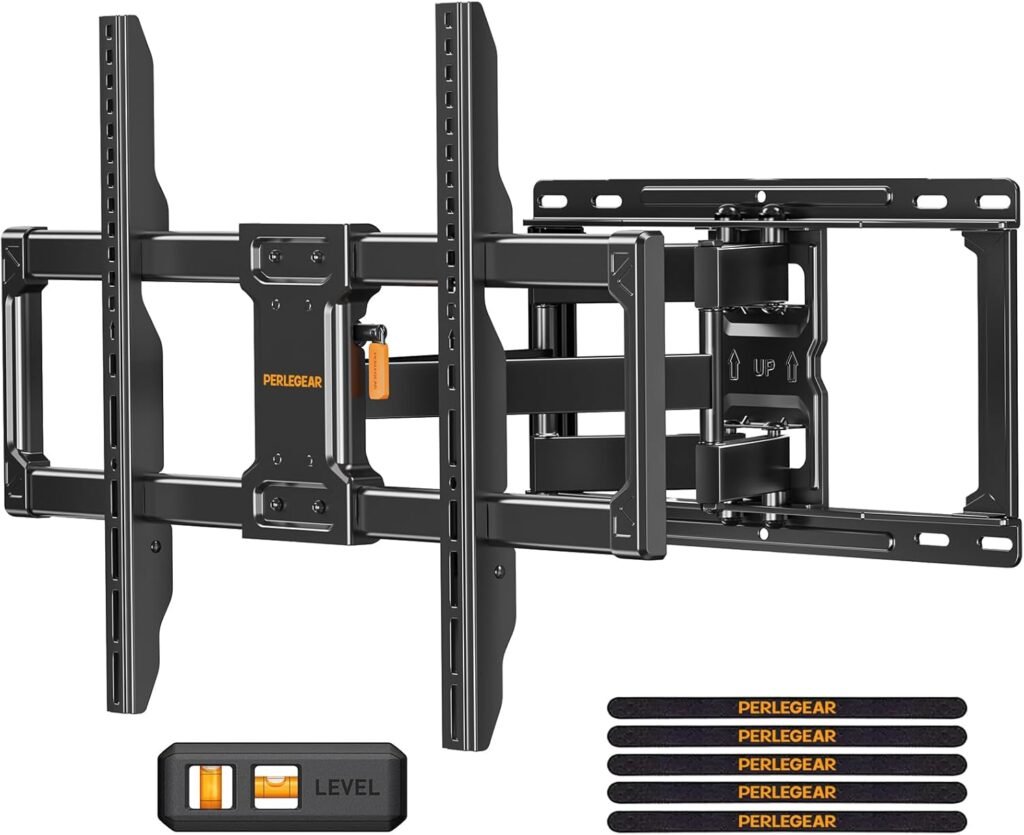
The Perlegear PGLF12 delivers surprisingly strong performance for its price category.
Its heavy-duty steel construction makes it especially appealing for larger gaming TVs.
Best For
- Large OLED TVs
- 65–85″ gaming screens
- Console entertainment rooms
- Budget-conscious premium setups
Build Quality
The six-arm articulation system feels strong and stable.
That added rigidity helps reduce:
- Screen wobble
- Arm sagging
- Movement looseness
This becomes noticeable during repeated repositioning.
Gaming Flexibility
The swivel and tilt range is more than enough for:
- Couch gaming
- Recliner setups
- Multi-player gaming nights
Its 16.3-inch extension also creates good viewing flexibility without becoming excessively bulky.
Pros
- Excellent weight capacity
- Strong steel construction
- Great value
- Good articulation stability
- Easy cable access
Cons
- Slightly stiffer movement initially
- Bulkier than slim mounts
- Less premium feel than ECHOGEAR
Final Verdict
If you want strong heavy-duty performance without paying flagship prices, this is one of the best value gaming TV mounts available.
4. USX Mount XML019
Best Budget Gaming TV Mount
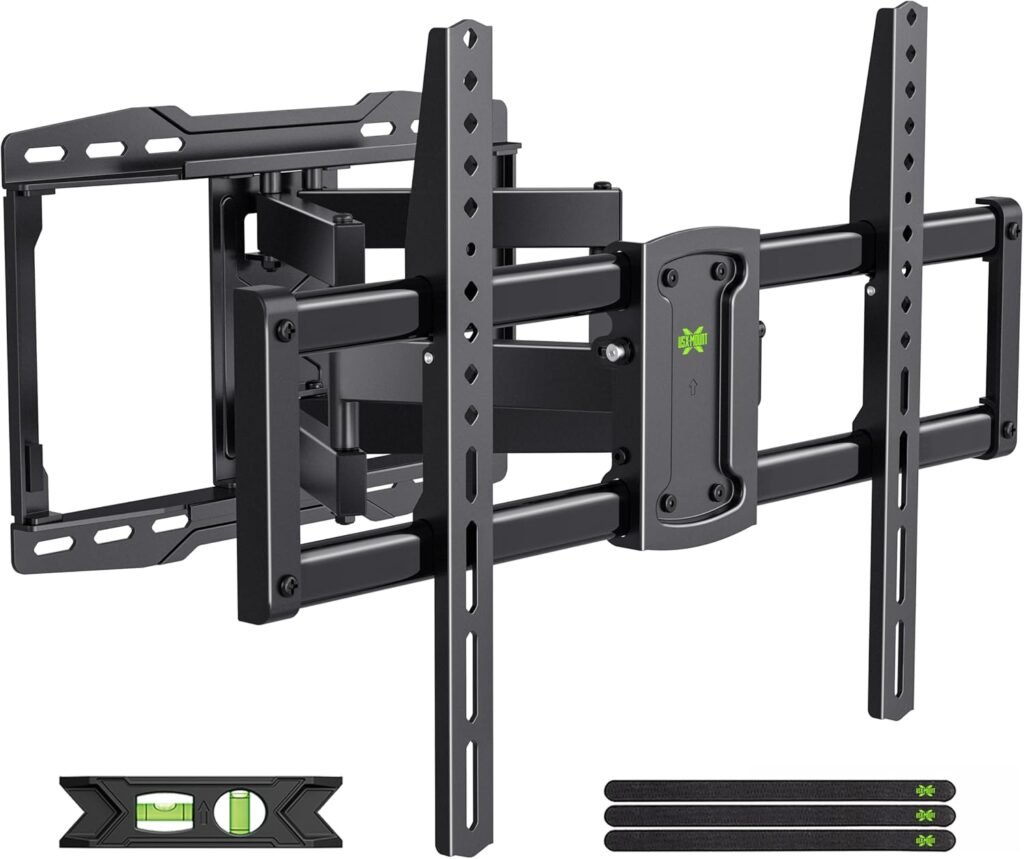
Budget mounts often sacrifice articulation smoothness or long-term rigidity.
The USX Mount XML019 performs better than expected for the money.
Best For
- Budget gaming rooms
- Starter console setups
- Apartment gaming spaces
- Mid-size TVs
What Makes It Good
The dual-arm system feels more stable than many cheaper competitors.
Its cable management Velcro system also helps keep gaming setups cleaner.
That’s surprisingly important once you start adding:
- Consoles
- HDMI 2.1 cables
- LED lighting
- Streaming accessories
Installation Experience
The labeled hardware packaging makes installation much easier for beginners.
The included template also helps reduce mounting alignment mistakes.
Pros
- Affordable
- Good movement range
- Decent build quality
- Helpful cable organization
- Beginner-friendly setup
Cons
- Motion less refined than premium mounts
- Average extension range
- Better suited for mid-size TVs
Final Verdict
If you’re building a gaming setup on a tighter budget, this mount gives you most of the flexibility gamers actually need without overspending.
5. VIVO MOUNT-VW120M
Best for Massive Gaming TVs
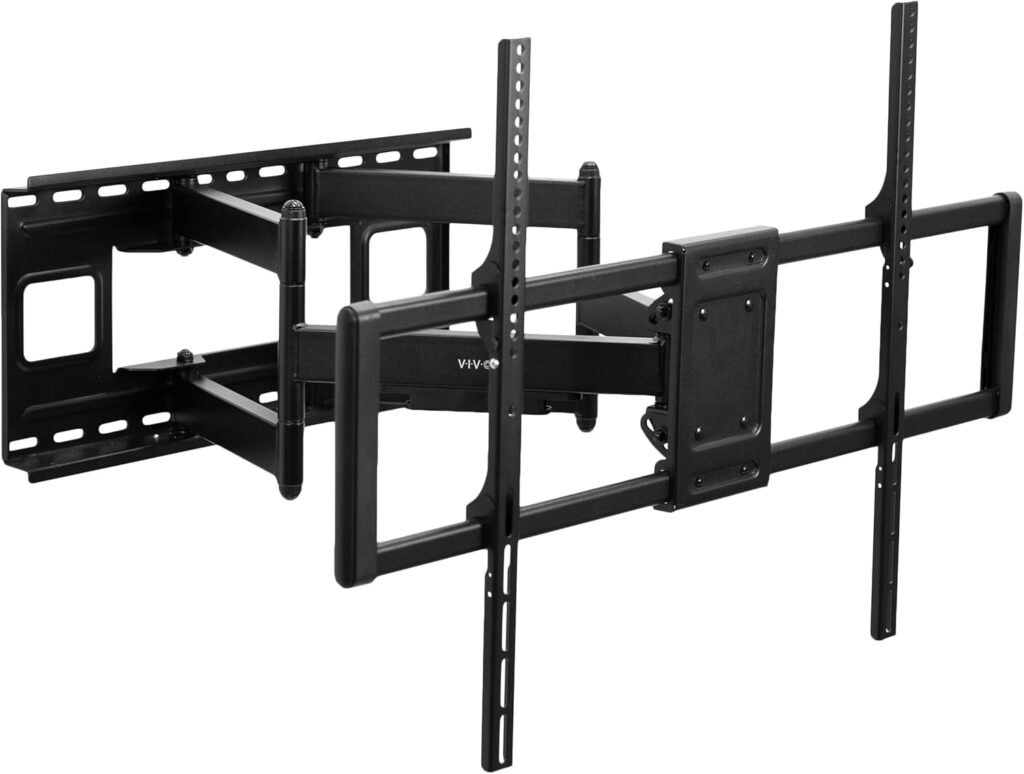
Modern gaming rooms increasingly use massive TVs for immersive gaming.
The VIVO MOUNT-VW120M is built specifically for those oversized displays.
Best For
- 85–120″ TVs
- Simulator gaming
- Luxury gaming rooms
- Large OLED and Mini-LED displays
What Makes It Different
This mount supports up to 264 lbs — dramatically higher than most standard TV mounts.
That extra support matters for:
- Extremely large TVs
- Heavy premium displays
- Oversized curved panels
Real-World Gaming Use
The 27.7-inch extension creates an incredibly flexible viewing experience.
This works especially well for:
- Racing simulators
- Theater-style gaming rooms
- Multi-seat gaming spaces
Installation Reality
This is not a lightweight DIY mount.
Two-person installation is strongly recommended.
Pros
- Massive weight capacity
- Excellent extension range
- Strong articulation
- Good cable management
- Built for giant screens
Cons
- Expensive
- Large wall footprint
- Overkill for most users
- Heavy installation process
Final Verdict
For oversized gaming TVs, this is one of the safest and strongest heavy-duty wall mounts available.
Comparison Table
| Mount | TV Size | Extension | Weight Capacity | Best For |
|---|---|---|---|---|
| ECHOGEAR MaxMotion | 42–90″ | 22″ | 125 lbs | Best overall |
| Mounting Dream | 32–65″ | 17.5″ | 99 lbs | Small gaming rooms |
| Perlegear PGLF12 | 42–86″ | 16.3″ | 132 lbs | Heavy-duty value |
| USX Mount XML019 | 42–86″ | 16.61″ | 132 lbs | Budget setups |
| VIVO MOUNT-VW120M | 60–120″ | 27.7″ | 264 lbs | Massive gaming TVs |
Expert Advice for Gaming TV Mount Setups
Avoid Mounting TVs Too High
Gaming sessions often last hours.
A TV mounted too high creates:
- Neck strain
- Eye fatigue
- Poor posture
For most gaming setups:
- The center of the TV should sit near seated eye level
Bedroom setups can go slightly higher if reclining.
Plan Cable Management Early
Gaming setups create cable chaos fast.
Use:
- Cable raceways
- Velcro straps
- In-wall cable kits
- Wall-mounted console shelves
Planning this before installation saves major frustration later.
Check HDMI Cable Length Before Mounting
Many gamers forget this.
Full-motion mounts extend outward, which can strain short HDMI cables during movement.
Always leave extra slack.
Don’t Cheap Out on Large OLED Mounts
Premium OLED TVs are expensive and often heavier than expected.
A weak articulating arm can:
- Sag
- Shift
- Become unstable over time
For 65″+ OLED gaming TVs, premium mounts are worth the extra money.
Internal Link Suggestions
Related articles to strengthen SEO authority:
- Best Full Motion TV Mounts
- Best TV Mounts for Small Apartments
- How High Should You Mount a Gaming TV?
- TV Mount Installation Mistakes to Avoid
- Best TV Mounts for Brick Walls
- Best Corner TV Mounts
- How to Hide Gaming Setup Cables
Frequently Asked Questions
What is the best TV mount for a gaming room?
For most gamers, a full-motion TV mount is best because it allows flexible viewing angles, glare reduction, and ergonomic positioning.
Are full-motion TV mounts good for gaming?
Yes. Full-motion mounts help optimize viewing distance and seating position, especially in small gaming rooms.
How high should a gaming TV be mounted?
The center of the screen should generally sit near seated eye level to reduce neck strain during long gaming sessions.
Can a TV wall mount improve gaming comfort?
Absolutely. Proper TV positioning improves posture, reduces glare, and creates a more immersive gaming experience.
Are cheap TV mounts safe for OLED TVs?
Some are, but many budget mounts struggle with heavier OLED displays. For large premium TVs, stronger mounts are usually worth the investment.
What size TV works best in a small gaming room?
For most small rooms:
- 43–55″ works best for desk setups
- 55–65″ is ideal for couch gaming
Larger TVs can overwhelm compact spaces unless viewing distance is sufficient.
Final Thoughts
The best gaming TV mount isn’t necessarily the cheapest or the one with the biggest feature list.
It’s the one that fits your:
- Room layout
- Viewing habits
- TV size
- Gaming style
For most gamers, the ECHOGEAR MaxMotion delivers the best overall balance of flexibility, smooth articulation, and premium build quality.
If you’re working with a smaller gaming room, the Mounting Dream Full Motion is easier to manage while still offering excellent flexibility.
Meanwhile, the Perlegear PGLF12 provides some of the best heavy-duty value for larger gaming TVs.
The key is choosing a mount that improves your actual gaming experience — not just your setup photos.