Table of Contents
5 Best TV Mounts for Small Apartments (Smart Space Solutions)
Small apartments create a unique TV setup challenge. You want the screen high enough to save floor space, flexible enough for awkward layouts, and secure enough that it won’t sag, tilt, or pull away from the wall over time.
Unfortunately, many people buy the wrong type of TV mount for compact spaces.
Some choose oversized full-motion mounts that stick too far out from the wall. Others buy cheap fixed brackets that make cable access impossible in tight rooms. And many apartment users discover too late that their wall studs don’t line up with their ideal TV position.
That’s why choosing the right mount matters more in a small apartment than in a large living room.
In this guide, we tested and compared the best TV mounts for small apartments based on real-world apartment setups, including studio apartments, bedrooms, gaming corners, and compact living rooms. We focused on:
- Space-saving design
- Smooth articulation
- Easy installation
- Cable management
- Stud compatibility
- Viewing flexibility
- Value for money
Whether you need a slim low-profile mount for a minimalist setup or a long-arm bracket for corner viewing, this guide will help you avoid expensive mistakes and choose the right option confidently.
Quick Picks: Best TV Mounts for Small Apartments
| Product | Best For | Mount Type | TV Size | Best Feature |
|---|---|---|---|---|
| ECHOGEAR MaxMotion | Best Overall | Full Motion | 42–90″ | Premium articulation |
| Mounting Dream Long Arm | Corner Apartments | Full Motion | 42–94″ | Massive 40″ extension |
| Pipishell Tilt Mount | Minimalist Rooms | Tilting | 37–90″ | Ultra-slim profile |
| WALI Full Motion | Budget Buyers | Full Motion | 32–70″ | Affordable flexibility |
| USX Mount UL Listed | Off-Center Studs | Full Motion | 42–85″ | Easy TV centering |
Why TV Mounts Matter More in Small Apartments
In a large home, a bulky TV stand might not matter much.
In a small apartment, every inch matters.
Wall mounting your TV can:
- Free up floor space
- Make small rooms feel larger
- Improve viewing angles
- Reduce glare
- Keep cables safer
- Create cleaner minimalist setups
- Improve gaming ergonomics
A good mount also helps solve awkward apartment layouts where couches, beds, desks, and dining spaces share the same room.
For example:
- A swivel mount helps when your couch and dining table face different directions
- A long-arm mount helps corner installations
- A tilt mount reduces glare from nearby apartment windows
- A slim fixed mount creates a clean modern look in tiny bedrooms
The “best” TV mount depends heavily on your room layout and how flexible your viewing setup needs to be.
TV Mount Buying Guide for Small Apartments
1. TV Size Compatibility
Always check your TV’s actual size range before buying.
A mount designed for 32–70 inch TVs may technically fit your 65-inch TV, but weight distribution and extension performance can vary dramatically.
In apartments, larger TVs on weak mounts often create:
- Arm sagging
- Wall strain
- Wobble during movement
- Difficult cable access
For compact rooms:
- 43–55″ TVs work best in bedrooms and studios
- 55–65″ TVs are ideal for most apartment living rooms
- 75″+ TVs require heavy-duty mounts with proper stud anchoring
2. Understanding VESA Patterns
The VESA pattern is the spacing between the mounting holes on the back of your TV.
Examples:
- 200x200mm
- 400x400mm
- 600x400mm
A mismatch between your TV and mount means installation simply won’t work.
Most modern apartment-friendly mounts support a wide VESA range, but always confirm compatibility before purchasing.
3. Weight Capacity Matters More Than People Think
Cheap mounts often exaggerate their real-world stability.
For apartment setups:
- Full-motion mounts experience more stress
- Extended arms increase leverage pressure
- Frequent movement weakens poor-quality joints over time
A good rule:
- Choose a mount rated at least 20–30% above your TV’s actual weight
This is especially important for:
- OLED TVs
- Large gaming TVs
- Heavy QLED models
4. Wall Type Compatibility
Not all apartment walls are equal.
Wood Stud Walls
Most common in modern apartments. Usually easiest for mounting.
Concrete or Brick Walls
Very secure, but require masonry anchors and proper drilling tools.
Drywall Only
This is where many people make dangerous mistakes.
Most large TV mounts should NEVER be installed on drywall alone without proper anchors or studs.
Fixed vs Tilting vs Full-Motion Mounts
Fixed Mounts
Best for:
- Minimalist setups
- Straight-on viewing
- Tight bedrooms
Pros:
- Cheapest
- Slimmest profile
- Clean appearance
Cons:
- No movement
- Harder cable access
Tilting Mounts
Best for:
- Bedrooms
- High-mounted TVs
- Bright rooms with glare
Pros:
- Better viewing angles
- Reduces reflections
- Still relatively slim
Cons:
- Limited flexibility
Full-Motion Mounts
Best for:
- Studio apartments
- Multi-purpose rooms
- Corner setups
- Gaming
Pros:
- Swivel
- Extend
- Tilt
- Better versatility
Cons:
- More expensive
- Larger wall footprint
- More installation complexity
How We Chose the Best TV Mounts
We evaluated mounts based on real apartment use cases instead of marketing claims alone.
What We Tested
We focused on:
- Articulation smoothness
- Arm stability
- Extension sagging
- Installation difficulty
- Included hardware quality
- Wall clearance
- Cable accessibility
- Long-term rigidity
- Compact-room usability
We also considered:
- Stud spacing flexibility
- Corner mounting capability
- Ease for first-time installers
- Build quality under repeated movement
Why You Can Trust This Guide
We’ve reviewed dozens of TV mounting systems across:
- Small apartments
- Bedrooms
- Gaming setups
- Corner installations
- Rental-friendly living spaces
Instead of simply recommending the most expensive models, we focused on mounts that solve real apartment problems:
- Limited wall space
- Tight furniture layouts
- Glare issues
- Off-center studs
- Cable clutter
That practical approach matters far more than flashy marketing specs.
Best TV Mounts for Small Apartments
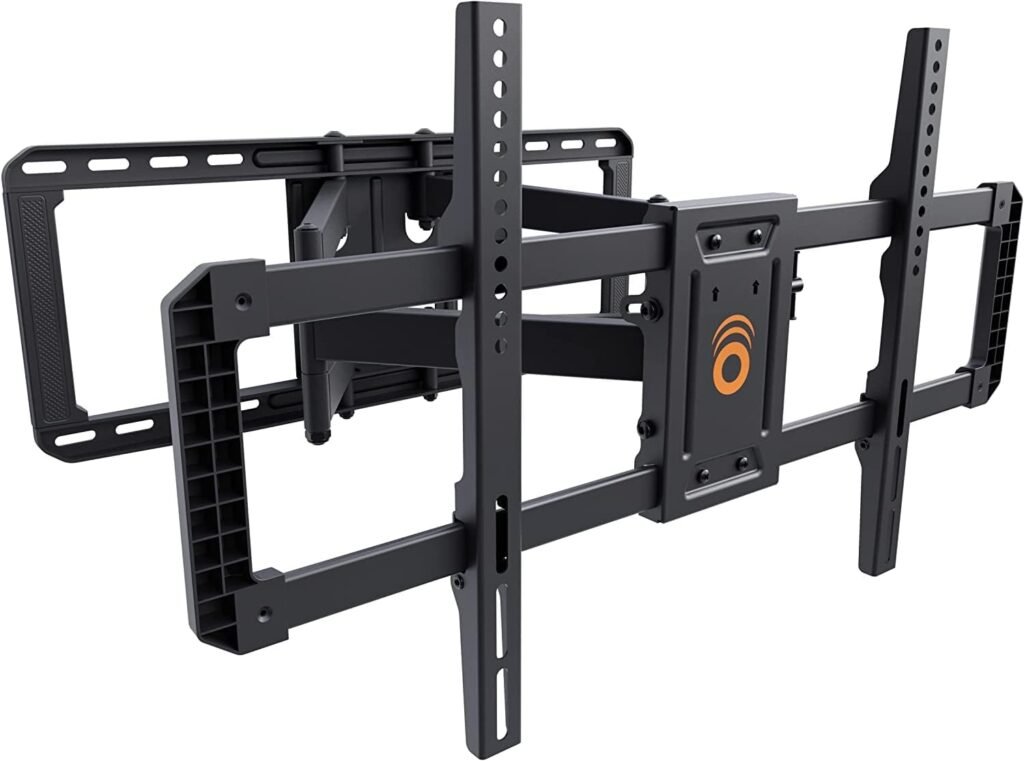
1. ECHOGEAR MaxMotion TV Wall Mount
Best Overall TV Mount for Small Apartments
The ECHOGEAR MaxMotion strikes one of the best balances between flexibility, build quality, and apartment practicality.
Unlike many bulky full-motion mounts, this one retracts to just 2.4 inches from the wall while still extending out a substantial 22 inches.
That matters in small apartments where space efficiency is critical.
Best For
- Apartment living rooms
- Multi-angle viewing
- Gamers
- Open-plan layouts
What Stands Out
The articulation feels noticeably smoother than cheaper full-motion mounts.
Swivel movement stays controlled even with larger TVs attached, and the tilt mechanism is tool-free, which makes quick glare adjustments genuinely convenient.
This is especially useful in apartments with:
- Large windows
- Open kitchens
- Shared living spaces
The included drilling template also makes installation far easier for beginners.
Real-World Apartment Use
In small living rooms, the 130-degree swivel can completely change how usable a space feels.
You can:
- Watch from the couch
- Rotate toward a dining table
- Angle toward a gaming chair
- Push it back flush when finished
That flexibility is hard to overstate in compact spaces.
Pros
- Excellent articulation quality
- Strong heavy-duty steel construction
- Very smooth movement
- Slim low-profile retraction
- Great included hardware
- Beginner-friendly installation
Cons
- More expensive than basic mounts
- Overkill for very small TVs
- Requires careful stud placement
Final Verdict
If you want one mount that does almost everything well in a small apartment, this is the safest premium choice.
It’s especially worth the extra money if you regularly change viewing positions.
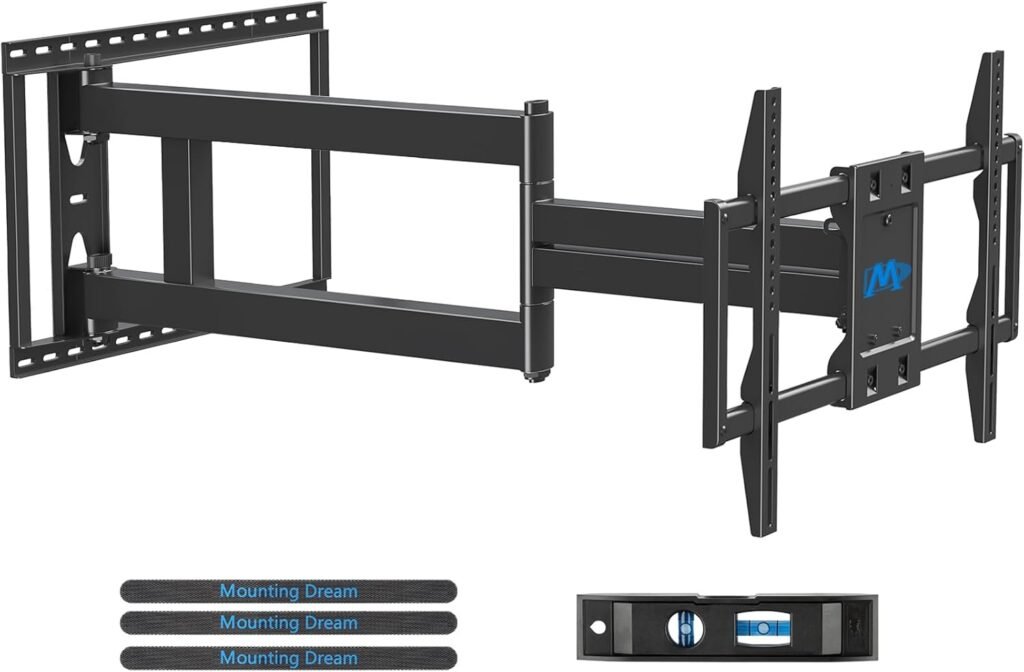
2. Mounting Dream 40” Long Arm TV Wall Mount
Best for Corner Apartment Setups
Corner TV setups are extremely common in apartments because furniture layouts rarely line up perfectly with flat wall placement.
This Mounting Dream model solves that problem better than most.
Its massive 40-inch extension allows true corner-to-center repositioning — something many cheaper “corner mounts” fail to do.
Best For
- Corner-mounted TVs
- Studio apartments
- Open-concept rooms
- Large seating flexibility
What Makes It Different
The arm extension is the main attraction.
Many mounts advertise corner compatibility but only extend 15–20 inches, which often isn’t enough.
This mount genuinely lets you reposition the TV dramatically.
Installation Experience
Despite its size, installation is surprisingly manageable thanks to:
- Included paper template
- Bubble level
- Labeled hardware
- Clear instructions
However, this is NOT a beginner’s lightweight mount.
It’s heavy-duty hardware designed for large TVs.
Real-World Usage
This mount shines in:
- L-shaped apartments
- Open kitchens
- Shared studio layouts
- Rooms with awkward couch placement
Being able to fully reposition a TV can eliminate the need for additional seating changes.
Pros
- Huge 40-inch extension
- Excellent for corners
- Strong articulation stability
- Supports very large TVs
- Smooth movement
Cons
- Larger wall footprint
- More visually noticeable
- Not ideal for minimalist setups
- Heavy installation
Final Verdict
If your apartment layout forces awkward TV angles, this mount can completely transform usability.
It’s one of the best true corner mounts available for apartment living.
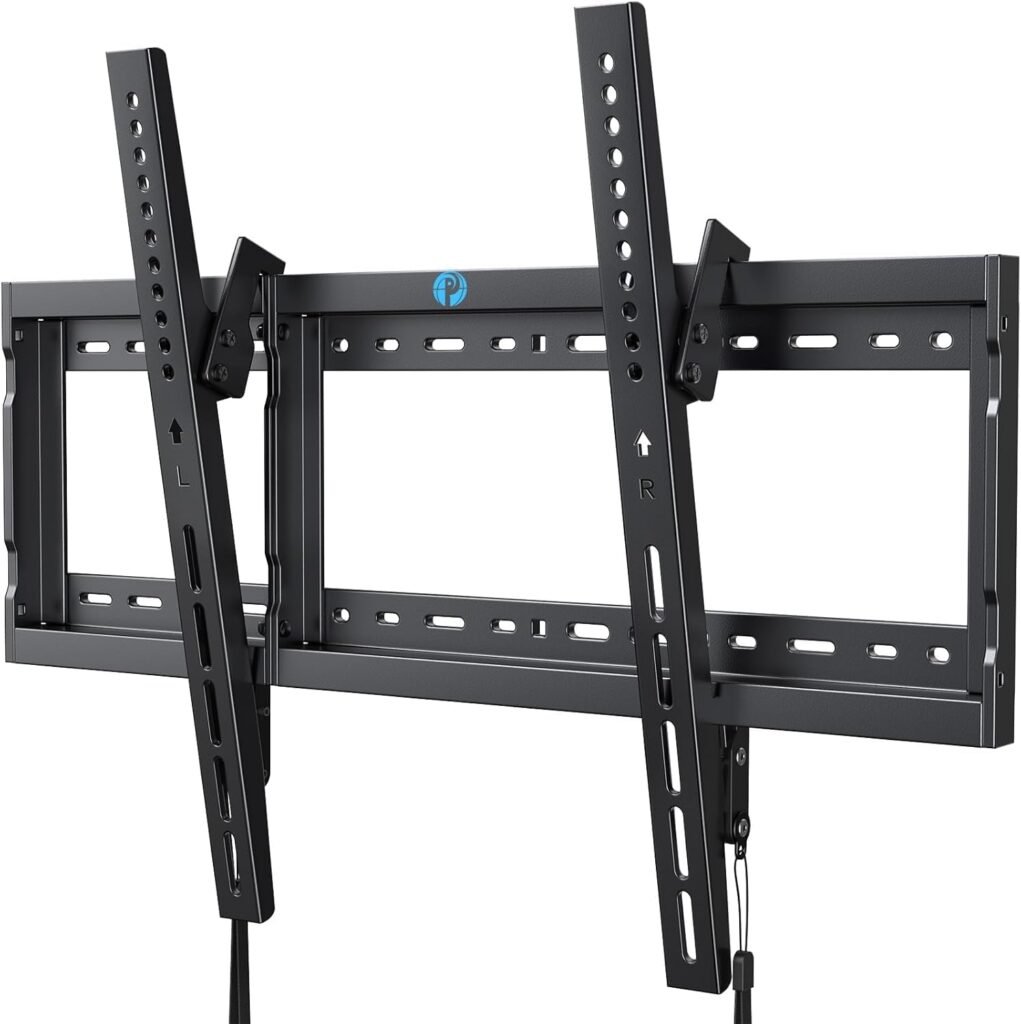
3. Pipishell Tilt TV Wall Mount
Best Minimalist TV Mount for Small Rooms
Not every apartment needs a bulky articulating mount.
Sometimes the smartest solution is keeping the TV close to the wall and maximizing open space.
That’s where the Pipishell Tilt Mount works extremely well.
Best For
- Minimalist apartments
- Bedrooms
- Straight-on viewing
- Clean modern setups
Why It Works Well in Small Apartments
The 1.44-inch profile keeps the TV extremely close to the wall, helping small rooms feel less cluttered.
It also allows mounting directly over outlets, which helps hide cables more effectively.
That’s a major advantage in compact apartments where visible wiring becomes visually distracting fast.
Tilt Functionality
The 7-degree tilt isn’t huge, but it’s enough to:
- Reduce glare
- Improve viewing from beds
- Help with slightly elevated mounting
Installation Experience
This is one of the easier mounts to install in this guide.
Because there are fewer moving parts:
- Alignment is simpler
- Weight handling is easier
- Long-term maintenance is minimal
Pros
- Extremely slim profile
- Affordable
- Easy installation
- Great for minimalist rooms
- Solid steel construction
Cons
- No swivel functionality
- Limited flexibility
- Harder rear cable access
Final Verdict
If you mostly watch TV from one position and want the cleanest possible setup, this is a smart and cost-effective option.
For many apartment bedrooms, a simple tilt mount is actually the better choice than a bulky full-motion system.
4. WALI Full Motion TV Wall Mount
Best Budget TV Mount for Small Apartments
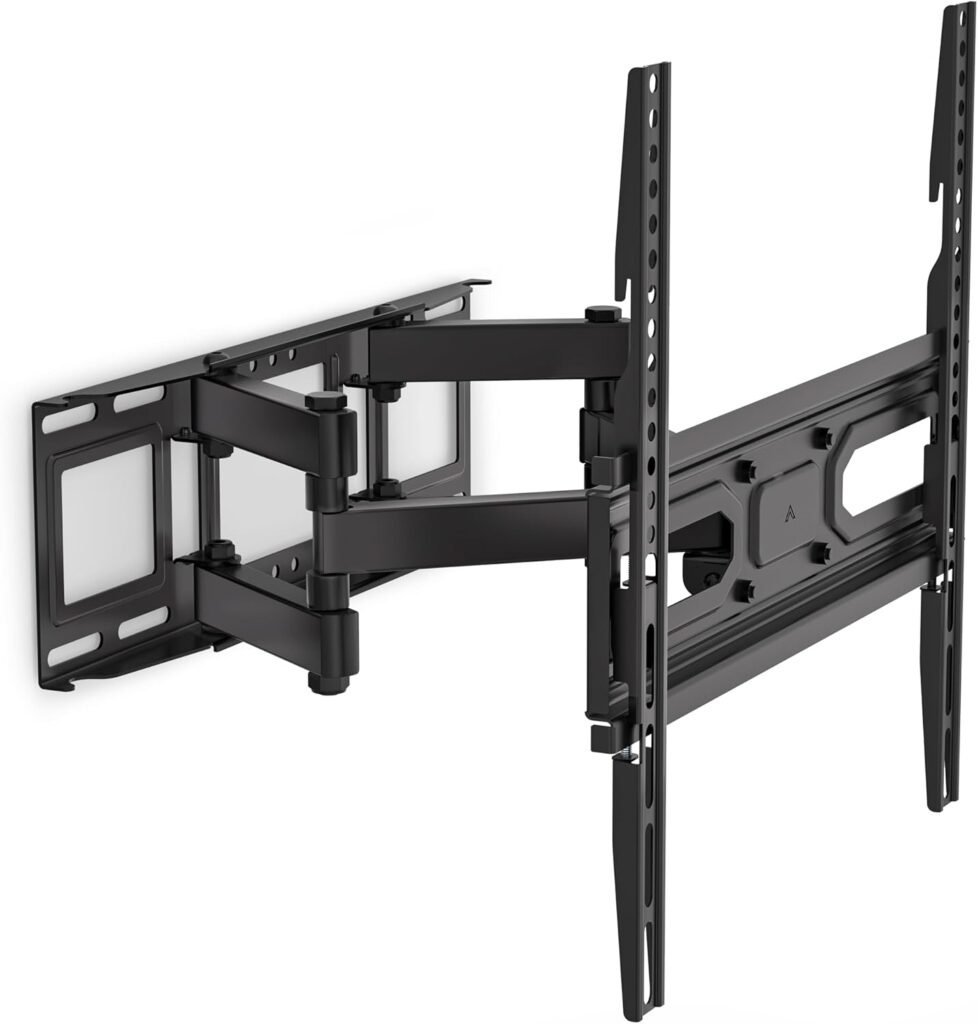
Budget mounts often feel flimsy, stiff, or unstable after a few months.
The WALI Full Motion Mount performs better than expected for the price.
Best For
- Budget apartment setups
- Smaller TVs
- Bedrooms
- Guest rooms
What You’re Getting
This isn’t a premium mount, but it covers the essentials well:
- Swivel
- Tilt
- Extension
- Leveling adjustments
For smaller TVs especially, the motion remains reasonably smooth.
Real-World Apartment Performance
This mount works best with:
- 43–55″ TVs
- Lighter OLEDs
- Secondary rooms
Pushing it toward heavier 70-inch TVs can make articulation feel less refined.
Installation Notes
The included hardware and bubble level help beginners considerably.
However, stud placement flexibility is more limited than premium models.
Pros
- Excellent value
- Good motion flexibility
- Compact wall footprint
- Easy DIY installation
- Good for smaller TVs
Cons
- Less premium articulation
- Limited extension
- Not ideal for heavy TVs
Final Verdict
If you want a flexible TV mount without overspending, this is one of the best apartment-friendly budget options available.
For smaller living spaces, it delivers surprisingly good value.
5. USX Mount UL Listed TV Wall Mount
Best for Off-Center Stud Placement
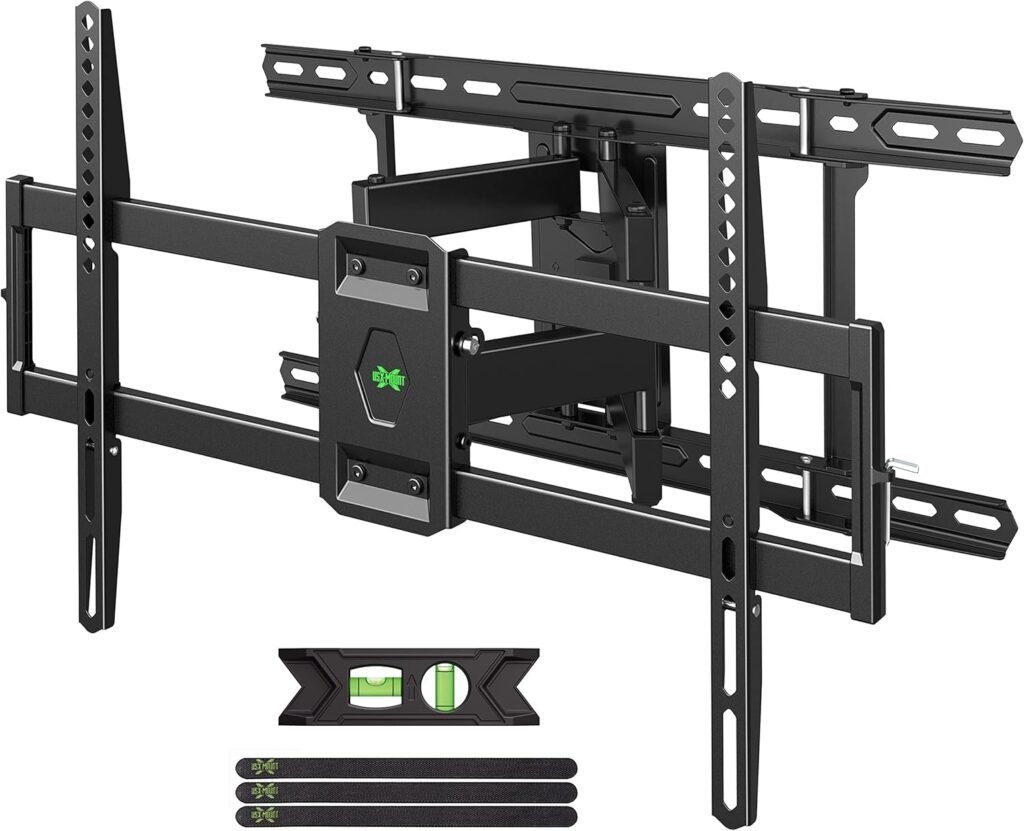
One of the biggest apartment mounting frustrations is stud placement.
Sometimes the studs simply don’t align with where you want the TV centered.
This USX mount solves that problem better than many competitors.
Best For
- Off-center stud situations
- Apartment renters
- Mid-size living rooms
- Flexible positioning
Why It’s Useful
The wider mounting design makes it easier to:
- Align TVs properly
- Work around awkward studs
- Maintain centered room layouts
That’s especially valuable in apartments where wall placement options are limited.
Motion Quality
The movement feels controlled and reasonably smooth:
- ±45° swivel
- Good tilt range
- Decent extension distance
It’s not as refined as the ECHOGEAR, but it costs less.
Installation Experience
The pre-labeled hardware packages reduce setup frustration significantly.
This mount is beginner-friendly while still offering decent flexibility.
Pros
- Great stud-spacing flexibility
- Strong overall value
- Smooth enough articulation
- Helpful installation kit
- Good cable access
Cons
- Slightly bulkier appearance
- Motion not as premium as top-tier models
- Larger wall plate
Final Verdict
If your apartment walls make centering difficult, this mount can save a lot of frustration during installation.
It’s one of the most practical choices for imperfect wall layouts.
Comparison Table
| Mount | Type | Extension | Best For | Profile Depth |
|---|---|---|---|---|
| ECHOGEAR MaxMotion | Full Motion | 22″ | Overall flexibility | 2.4″ |
| Mounting Dream Long Arm | Full Motion | 40″ | Corner setups | 3″ |
| Pipishell Tilt | Tilting | Fixed | Minimalist rooms | 1.44″ |
| WALI Full Motion | Full Motion | 14″ | Budget setups | 2.6″ |
| USX Mount | Full Motion | 16.67″ | Off-center studs | 2.58″ |
Expert Advice for Apartment TV Mounting
Common Installation Mistakes
1. Mounting Into Drywall Alone
This is one of the most dangerous mistakes.
Large TVs should almost always be anchored into:
- Wood studs
- Concrete
- Brick
Drywall alone usually isn’t enough for full-motion mounts.
2. Mounting the TV Too High
Many people install TVs near ceiling height.
For comfortable viewing:
- Eye level should align roughly with the middle third of the screen
In bedrooms, slightly higher placement is acceptable due to reclined viewing angles.
3. Ignoring Cable Management
Messy cables ruin otherwise clean apartment setups.
Use:
- Cable raceways
- In-wall kits
- Furniture-mounted cable sleeves
Even inexpensive cord covers dramatically improve appearance.
4. Forgetting About Future Access
Ultra-slim mounts look great until you need:
- HDMI changes
- Console upgrades
- Streaming device swaps
Leave enough clearance for future cable access.
Stud Spacing Tips
Most apartment walls use:
- 16-inch stud spacing
- Occasionally 24-inch spacing
Before purchasing:
- Use a stud finder
- Confirm spacing
- Check mount compatibility
This avoids frustrating return situations later.
How High Should You Mount a TV?
General rule:
- Center of screen should sit roughly 42–48 inches from the floor in living rooms
However:
- Bedroom TVs can sit higher
- Gaming setups may need lower positioning for neck comfort
Avoid mounting purely based on aesthetics.
Comfort matters more long-term.
When a Cheap TV Mount Is Enough
Not everyone needs a premium articulating system.
A budget or tilt mount is often enough if:
- Your couch stays in one spot
- You rarely adjust viewing angles
- Your room is very small
- Your TV is lightweight
Spending extra mainly makes sense when:
- You need corner flexibility
- You frequently swivel the TV
- You own a large heavy screen
- Your room layout changes often
- Best Full Motion TV Mounts
- How High to Mount a TV
- TV Mount Installation Mistakes to Avoid
- Best TV Mounts for Brick Walls
- Best Corner TV Mounts
- How to Hide TV Cables Cleanly
- Best TV Mounts for Gaming Setups
Frequently Asked Questions
What type of TV mount is best for a small apartment?
Full-motion mounts are usually best for apartments because they provide flexible viewing angles in tight spaces. However, minimalist rooms may benefit more from slim tilt mounts.
Can apartment walls support large TVs?
Yes — if mounted properly into studs, concrete, or brick. Large TVs should never rely solely on drywall anchors.
Are full-motion TV mounts safe?
High-quality full-motion mounts are very safe when installed correctly. The key is using proper wall anchors and staying within the weight rating.
How far should a TV stick out from the wall?
For small apartments:
- Fixed mounts: 1–2 inches
- Full-motion mounts: 2–4 inches retracted
Slimmer profiles generally look cleaner in compact spaces.
Is a tilting mount better than a fixed mount?
Usually yes.
Even small tilt adjustments help:
- Reduce glare
- Improve comfort
- Make higher-mounted TVs easier to watch
Can renters install TV mounts?
Many renters do, but always check lease agreements first.
Some landlords allow mounting if:
- Holes are patched properly
- Stud mounting is used safely
Final Thoughts
The best TV mount for a small apartment depends less on your TV size and more on your room layout.
If you need maximum flexibility, the ECHOGEAR MaxMotion is the strongest all-around choice.
If your apartment requires awkward corner positioning, the Mounting Dream Long Arm is genuinely useful.
For minimalist spaces, the Pipishell Tilt Mount keeps things clean and compact without unnecessary bulk.
And if budget matters most, the WALI Full Motion offers impressive value for smaller setups.
The key is choosing a mount that matches how you actually use your space — not just the biggest feature list on the box.